
Amazon Sponsored Brands: Formats, Targeting, and Setup
Learn what Amazon Sponsored Brands is, how it differs from Sponsored Products, what creative and targeting it supports, and how to set up and optimize
A seller sees Sponsored Brands spending rise while product-level ROAS trails Sponsored Products. That isn't automatically a failed campaign. Amazon Sponsored Brands promotes a brand, product range, or Store through collection, spotlight, and video ads. Operators need to evaluate targeting, placement, customer acquisition, and branded demand before changing bids or budgets.
Table of Contents
- What Sponsored Brands Is and Who Can Run It
- How Sponsored Brands Differs from Sponsored Products and Sponsored Display
- Creative Formats and Specs That Decide What You Can Run
- Targeting, Buying Models, and Bid Mechanics
- Reading the Metrics Amazon Reports and Why New-to-Brand Changes the Math
- Setup Checkpoints Before You Press Launch
- Optimization and the Diagnostics That Actually Find Problems
- Where Agent Central Fits for Sponsored Brands Operators
What Sponsored Brands Is and Who Can Run It
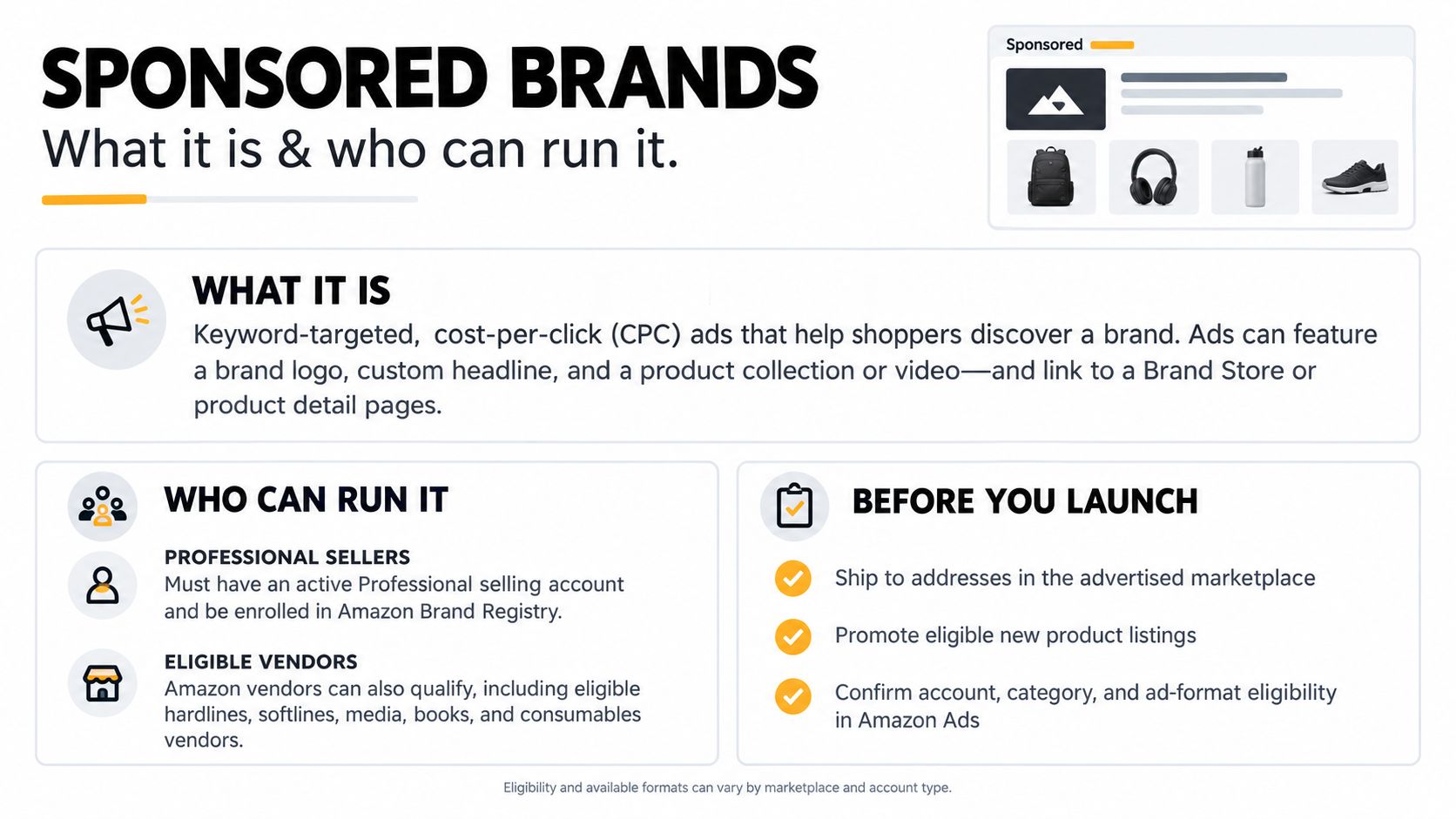
Sponsored Brands is a brand advertising format, not a larger product listing. Advertisers can combine brand identity with product discovery, then direct shoppers toward a relevant shopping destination. Ads appear in Amazon shopping results, including prominent search placements, and product detail-page placements, with availability depending on the format and campaign.
The buying model isn't always pay-per-click. Sponsored Brands supports CPC, cost per thousand viewable impressions, and fixed upfront payment, depending on the objective and available format. That distinction matters before launch: a campaign purchased for exposure shouldn't be judged as though every charge bought a product-page click.
Eligibility comes before creative production
Amazon's eligibility requirements distinguish registered brand owners from sellers who merely resell branded merchandise. According to Amazon's Sponsored Brands eligibility requirements:
- Seller or vendor status: Advertisers need an active Professional Seller account or must be an approved Amazon Vendor. Sellers must be registered brand owners enrolled in Amazon Brand Registry.
- Account readiness: The Amazon Ads account must be active and in good standing, with a valid payment method.
- Marketplace coverage: The advertiser must be able to ship products to the target country.
- Product restrictions: Adult, used, and refurbished products aren't eligible.
- Author eligibility: Authors need at least three unique book titles under one pen name claimed in Author Central.
A practical preflight also checks whether the advertised assortment can support the intended message. A brand advertising a complete routine needs relevant products and a destination that makes that routine understandable. A seller with a narrow catalog shouldn't manufacture unrelated cross-selling just to fill creative space.
For video production, Nim's product video maker for sellers is a resource to consider when preparing seller-supplied assets. Production software doesn't replace Amazon's creative review or remove the need to verify claims, product accuracy, and destination relevance.
Eligibility opens access. Creative, targeting, buying model, and measurement determine whether that access becomes a useful campaign. Agent Central can expose the resulting advertising record beside the seller's operational data, without deciding the campaign strategy.
How Sponsored Brands Differs from Sponsored Products and Sponsored Display
Sponsored Brands spend doesn't belong to a single ASIN by default. A collection or Store-focused ad can introduce several products and generate purchases across the brand. Assigning its entire campaign cost to a hero SKU creates a product profitability calculation that looks precise but rests on an arbitrary allocation.
Sponsored Products provides a clearer advertised-product anchor because the promoted listing is an individual product. Even there, operators should distinguish the advertised product from the purchased product rather than assuming every attributed sale represents the clicked SKU.
Sponsored Brands vs Sponsored Products vs Sponsored Display
| Dimension | Sponsored Brands | Sponsored Products | Sponsored Display |
|---|---|---|---|
| Objective | Brand discovery, Store visits, acquisition, and sales | Product-level discovery and sales | Audience reach, retargeting, and product targeting |
| Eligible seller | Registered brand owner with Professional Seller status; approved Vendors and qualifying authors also eligible | Separate product-ad eligibility requirements apply | Separate display-ad eligibility requirements apply |
| Creative format | Collections, Store spotlight, and video | Individual product listing | Display creative |
| Where they appear | Shopping results and eligible product-page placements | Shopping results and product pages | Eligible placements on and off Amazon |
| Default attribution window | Use the Sponsored Brands report definition described below | Verify the account and report definition | Verify the buying model and click/view definition |
| Primary metric | Objective-dependent, including new-to-brand and branded demand | Product-level sales efficiency | Objective-dependent reach or conversion metrics |
The table deliberately avoids assigning a universal attribution window to every ad type. Reports with different attribution definitions aren't interchangeable, even when their columns carry the same sales or ROAS labels. Operators should retain the ad product, reporting period, and attribution basis when combining exports.
Sponsored Products is the practical workhorse for item-specific demand. Sponsored Brands adds range discovery and brand messaging. Sponsored Display addresses a different use case, including off-Amazon retargeting and product targeting; the Amazon display ads workflow guide provides an operational comparison.
A Sponsored Brands campaign shouldn't fail a product-level test it was never designed to pass.
The sensible portfolio pairs Sponsored Brands with Sponsored Products rather than treating them as substitutes. Product ads can capture specific purchase intent while brand ads introduce the assortment. Operators should compare their contributions, not force both into an identical SKU-level cost model.
Creative Formats and Specs That Decide What You Can Run
The creative decision starts with shopper intent, not with whichever asset is easiest to upload. A shopper comparing a product range needs a different destination from someone searching for a specific replacement item.
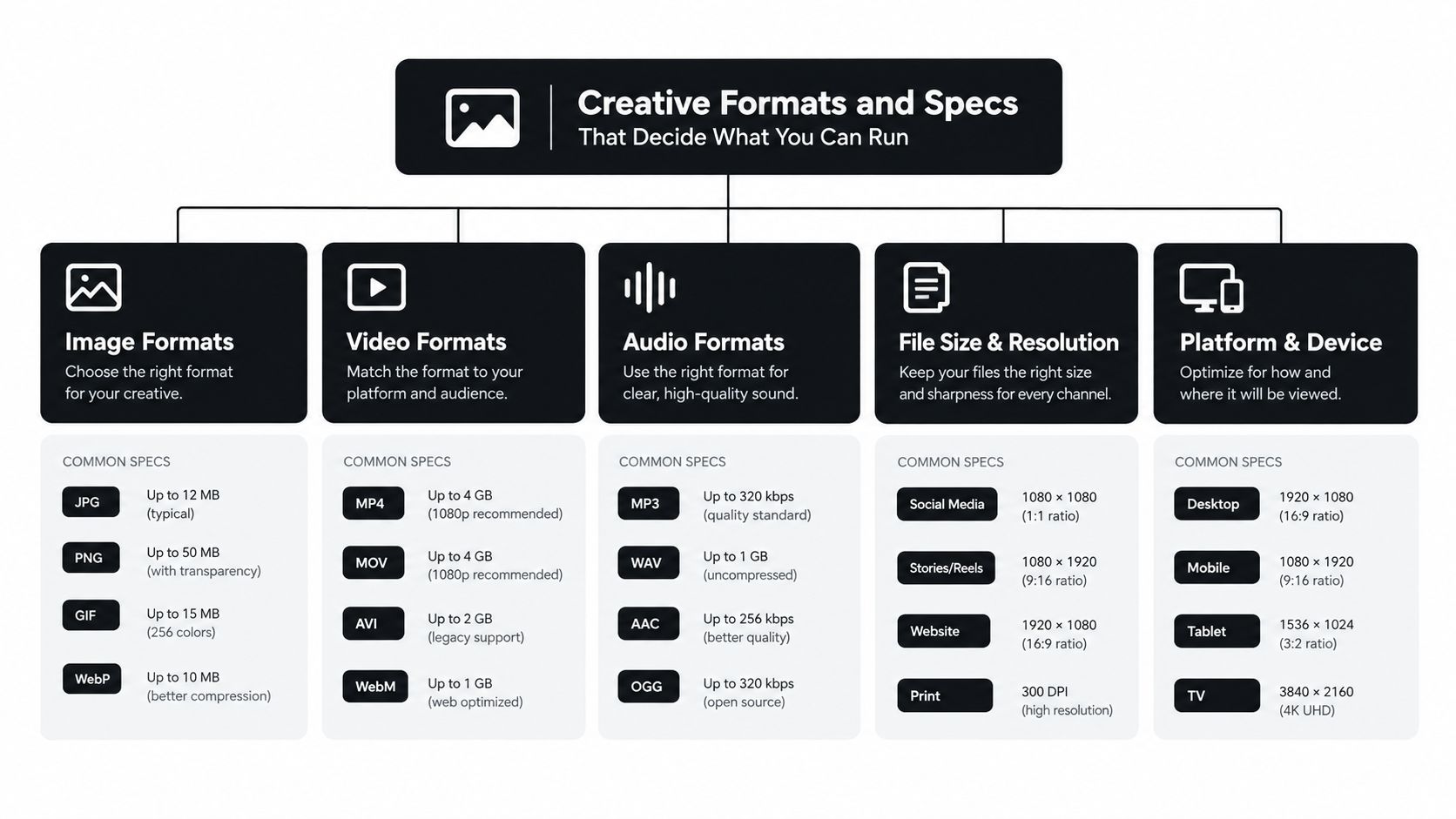
Product collection, Store spotlight, and video are the principal Sponsored Brands formats. Amazon's Sponsored Brands creative and campaign guide describes collection selection of three to ten distinct but related products, rather than merely different sizes or colors of the same item. Store spotlight can feature up to three Store sub-pages, each with a customizable headline, sub-page image, and label, subject to Amazon's Store page and product requirements.
Match the format to the decision
- Product collection: Use a coherent assortment that answers the same shopping need. Complementary cleaning products make more sense together than unrelated catalog items chosen solely for availability.
- Store spotlight: Use sub-pages that represent meaningful shopping paths, such as distinct applications or product families. A generic Store homepage with weak navigation isn't a substitute for useful destination pages.
- Video: Demonstrate a product or explain a differentiator that static listing imagery can't communicate as clearly. The product-page or Store destination should continue the same message.
Amazon's newer collections format supports up to ten products, compared with the legacy three-product collection. Legacy product collections are scheduled for discontinuation in February 2027, so that date is a planned transition, not a completed change. Amazon also reports that Store destinations are associated with 1.5 times higher spending per order and 12% more units per order than product detail-page destinations in its Brand Gallery announcement.
Those aggregate results aren't a universal landing-page prescription. A narrow portfolio, a hero ASIN, or a replenishment query may warrant a shorter route to the exact item.
Before migration, preserve the existing creative, included ASINs, destination, and campaign naming. Test the replacement against comparable query intent and customer status so a format change doesn't masquerade as an unexplained performance shift.
Targeting, Buying Models, and Bid Mechanics
Target selection and campaign objective should agree. A brand-defense campaign, a competitor campaign, and a broad discovery campaign answer different commercial questions. Combining them makes an average ROAS easy to calculate and difficult to interpret.
Amazon's Sponsored Brands campaign setup guidance supports keyword, product, category, and audience targeting, with bids and placement or audience adjustments applied during setup. Available buying models include CPC, VCPM, and fixed upfront payment; Amazon also notes that performance metrics can take up to 12 hours to populate after launch.
Choose targets by shopping context
- Keywords: Separate owned-brand searches from nonbrand discovery and competitor-brand searches. A brand-name query can support defense, while a functional query tests whether unfamiliar shoppers respond to the offer.
- Products: Target relevant adjacent products where the advertised assortment offers a credible alternative or complement.
- Categories: Use category targeting to explore a broader shopping context, then inspect whether actual traffic matches the intended use case.
- Audiences: Where available, evaluate in-market or lifestyle selections against the campaign's acquisition or exposure objective.
The choice isn't broad versus narrow. It's whether the selected audience or shopping context has a plausible reason to engage with the creative. A competitor target paired with vague brand messaging can generate curiosity without resolving why the shopper should switch.
Separate buying mechanics from business outcomes
CPC suits click-led evaluation, including click efficiency and attributed sales. VCPM buys viewable exposure, so reach and branded-demand signals deserve attention. Fixed-fee reserved activity should be assessed against its share-of-voice objective rather than pushed into a direct-response template.
Placement adjustments multiply on top of eligible base bids. Operators should review the effective bid, not just the base value, and check whether audience adjustments also affect the intended exposure. The keyword bidding guide explains the distinction between a bid control and the eventual advertising outcome.
Budgets belong at the campaign level and should match the test's purpose. Separate campaigns allow distinct spending controls for defense, acquisition, and exposure. A fresh campaign with incomplete reporting doesn't provide a sound basis for repeated same-day bid changes.
Reading the Metrics Amazon Reports and Why New-to-Brand Changes the Math
Amazon reports impressions, clicks, CTR, CPC, spend, attributed sales, ACOS, and ROAS, alongside new-to-brand orders and sales and their shares of total orders and sales. Its Sponsored Brands reporting guidance describes 14-day attributed sales, campaign, keyword, and search-term reporting, summary or daily aggregation, and a 12-month new-to-brand lookback. Campaign reporting has a maximum 90-day lookback, while sales and orders use the 14-day attribution window described in the Sponsored Brands reporting overview.
These windows answer different questions. The sales attribution window connects an advertising interaction to a reported purchase. The new-to-brand lookback classifies whether that buyer has previously purchased from the brand within the relevant period.
Build an acquisition scorecard
| Measure | Operator interpretation |
|---|---|
| Total attributed sales | Reported commercial output under Amazon's attribution rules |
| New-to-brand sales | Sales associated with buyers classified as new to the brand |
| New-to-brand order share | Acquisition mix, not proof of incremental acquisition |
| Spend divided by new-to-brand orders | Cost per new-to-brand purchase; don't relabel orders as unique customers |
| Branded-search rate and cost | Signals of subsequent brand interest |
Amazon's Sponsored Brands product page positions new-to-brand metrics alongside Store traffic and other funnel measures. For replenishment products, operators can compare acquisition cost with observed repeat-purchase economics, but shouldn't assume lifetime value without supporting seller data.
Measurement caution: A first-time brand purchase is a customer classification, not proof that advertising caused the purchase.
Amazon's branded-search metric enhancements improved matching for brand names, trademarks, abbreviations, and misspellings beginning October 1, 2025. Reporting includes branded searches from clicks and views, branded-search rate, and cost per branded search.
Combine those signals with customer status and target type. Branded targeting can capture existing interest; nonbrand targeting may introduce the brand. View-attributed searches remain attribution signals, so controlled tests, geo experiments, or carefully qualified pre/post analysis are needed before calling them incremental demand.
Setup Checkpoints Before You Press Launch
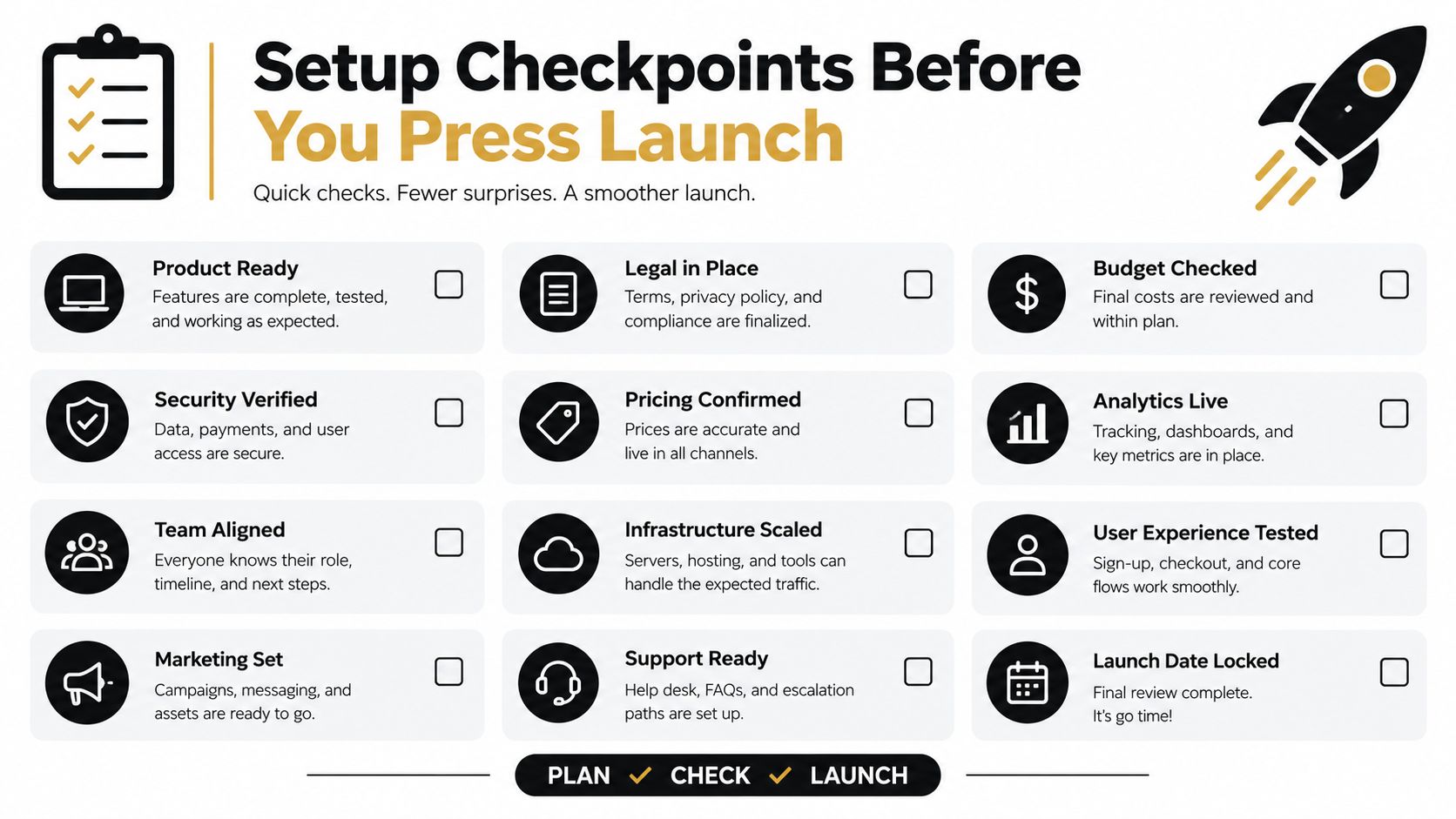
A launch should produce a reproducible campaign record, not just an approved ad. Another operator needs to understand the objective, assortment, destination, target logic, and spending controls without reconstructing them from scattered account settings.
Start in Amazon Ads campaign creation after checking the account's eligibility. Confirm that the intended Store is published and meets the applicable requirements before selecting Store spotlight or a Store destination. Then choose the format based on the shopping decision the campaign is meant to support.
Follow a documented launch sequence
- Confirm the retail context: Check catalog accuracy, inventory availability, and whether the advertised offer matches the creative.
- Choose the assortment: For collections, apply the related-product requirements described earlier. Record why each ASIN belongs.
- Select the destination: Use a relevant Store page for range exploration or a product detail page when the intent is specific.
- Set the buying model: Match the available CPC, exposure, or reserved-placement option to the stated objective.
- Define targeting: Keep branded defense, nonbrand discovery, and competitor activity distinguishable in reporting.
- Apply spending controls: Set a daily budget where applicable that matches the test plan, then review base bids and adjustments together.
- Name the campaign consistently: Include marketplace, objective, format, target class, and destination in the naming convention.
Define the first review before submission
A documented checklist should include creative ownership, approved claims, landing-page verification, budget authorization, and the planned evaluation measures. Naming templates should be reviewed before launch, because inconsistent names make later portfolio comparisons harder.
Adopt an explicit first twenty-four-hour no-edit window as an operator guardrail, not an Amazon requirement. That prevents the reporting delay described earlier from triggering a panicked optimization session.
Launch exception: Broken destinations, incorrect creative, or unintended spending exposure justify intervention. Incomplete performance data alone doesn't.
Save the launch configuration and record any emergency edits separately. Otherwise, the first performance review may compare multiple configurations without acknowledging that the campaign changed during observation.
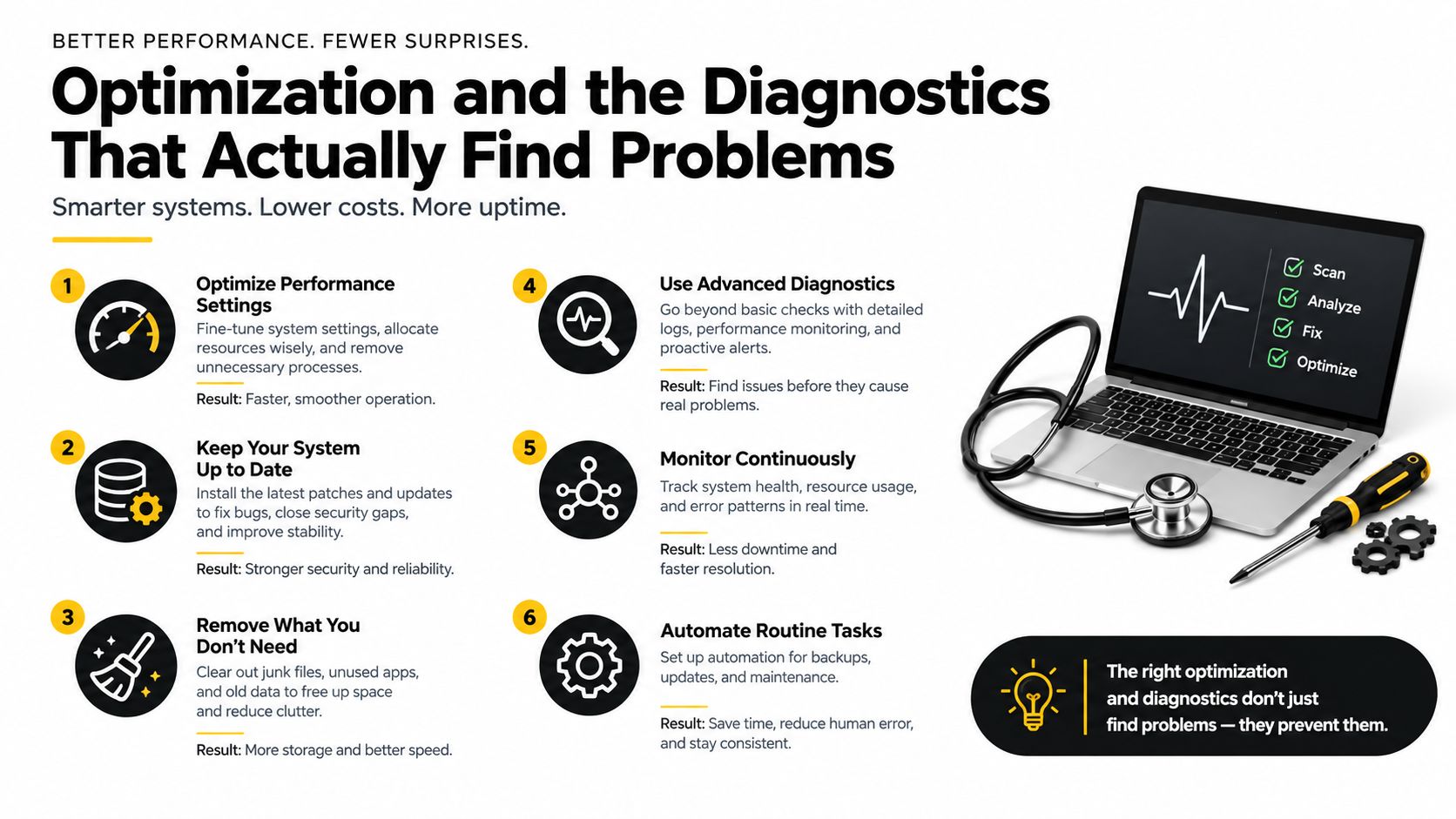
Optimization and the Diagnostics That Actually Find Problems
Sponsored Brands should be evaluated as a brand-demand and incrementality channel, not only through last-click ROAS. Efficiency still matters, but an efficient campaign can mostly capture shoppers who already intended to buy. An acquisition campaign can look weaker while introducing buyers with credible repeat-purchase potential.
Historical evidence illustrates why campaign averages aren't enough. Merkle's second-quarter 2019 analysis reported Sponsored Brands attributed sales growth of 53% year over year, versus 102% for Sponsored Products; branded keywords accounted for 62% of Sponsored Brands sales versus 43% for Sponsored Products. Sponsored Brands CTR was 34% higher, while additional placements generated 57% of impressions but only 12% of spend, according to the Marketing Dive coverage of Merkle's analysis.
These are historical observations, not current account benchmarks. They support a diagnostic habit: inspect placement and demand composition before interpreting the campaign total.
Diagnose the mechanism before changing the bid
- Placement mix versus spend share: Identify where exposure and spending concentrate. A high impression count doesn't establish commercially useful traffic.
- Branded versus nonbrand queries: Separate defense from discovery, then isolate competitor terms. Their acquisition expectations shouldn't be identical.
- New-to-brand against baseline: Compare like-for-like target classes and periods. A change in campaign mix can explain a change in customer mix.
- Store versus product-page outcomes: Compare destinations by intent, device, marketplace, and customer status, including units per order and downstream engagement where available.
Creative tests need an isolated hypothesis. AdCrafty's creative testing framework for Meta and TikTok offers a cross-platform reference for organizing tests, but Amazon campaign constraints and shopping intent still govern implementation.
The Amazon Ads optimization workflow provides broader operational context. Within Sponsored Brands, a weak ROAS result may remain commercially defensible when acquisition cost fits demonstrated lifetime economics; a strong branded-target ROAS doesn't establish incremental growth.
Change the variable implicated by the diagnosis. Raising bids won't repair irrelevant assortment, and replacing creative won't resolve a misleading attribution comparison.
Where Agent Central Fits for Sponsored Brands Operators
A Sponsored Brands campaign can claim a strong last-click return while capturing shoppers who would have found the brand anyway. Operators need to read its results alongside other advertising and seller records to judge whether it is building branded demand or adding incremental sales.
Agent Central is a hosted MCP server that connects an operator's AI client to Amazon Seller Central and Amazon Ads. Claude, ChatGPT, OpenClaw, Cursor, and other MCP clients can access structured advertising and seller records through one connection.
That lets operators examine Sponsored Brands alongside Sponsored Products, Sponsored Display, DSP, and non-advertising sales data. Campaigns, ad groups, keywords, search terms, placements, budgets, and available new-to-brand fields can be considered alongside inventory, orders, catalog, ranking, finance, and fulfillment records through the Amazon Ads MCP server connection.
Keep interpretation separate from returned facts
Agent Central returns facts, metrics, classifications, and Amazon's source-provided fields. The operator's agent or workflow interprets those records and decides what to do. Agent Central does not recommend next actions or optimize the account autonomously.
- Acquisition review: Retrieve Sponsored Brands search-term results, separate target classes, and compare new-to-brand performance with seller sales records.
- Retail-readiness investigation: Review advertising changes alongside catalog and inventory facts before attributing a result to bids.
- Controlled campaign editing: Preview supported creative, budget, or bid changes using seller-supplied creative, then confirm before submission.
Supported writes include safeguards and audit logs, with before-and-after values and duplicate-submission protection. A preview describes a proposed operation. It does not mean the campaign has changed.
Connect accounts and control access
Operators can sign up through Agent Central's pricing and quickstart pages, then connect Seller Central and Amazon Ads through Amazon's authorization. Add the connection to the AI client with the Claude quickstart. Scoped API keys and OAuth connections support controlled access. Agencies should match permissions to each seller account.
Account data syncs on a schedule, not in real time. New accounts start with 30 days of history, which builds from there, and Amazon Ads history is retained while the account stays connected. Repeated reads use synced records, rather than requesting a fresh asynchronous Amazon report for every question.
Seller Central exports, Amazon Ads reports, and SP-API records have distinct definitions and reporting limits. Preserve those distinctions when joining data. Commercial details are on the Agent Central pricing page.
Agent Central brings Sponsored Brands reports together with other advertising, sales, and inventory records, and supports previewed, audit-logged campaign changes using seller-supplied creative. Operators can visit Agent Central to connect accounts and use an existing MCP client to examine branded demand, acquisition, and placement performance.
Related Agent Central pages
- Amazon Seller Central MCP server
Canonical hosted MCP overview for Seller Central, Ads, inventory, catalog, finance, and fulfillment data.
- Amazon seller data for AI agents
How Agent Central normalizes Amazon seller data before exposing it to AI clients.
- Amazon Ads MCP server
Campaign, keyword, search term, budget, TACOS, and guarded ads-write tools.
- Ads tool reference
Parameter-level docs for Amazon Ads campaign, keyword, search term, budget, and TACOS tools.
- Amazon seller MCP servers compared
How hosted MCP services compare with official Ads MCP, local repos, connector tools, and automation platforms.
- Connect Seller Central to Claude
Step-by-step path from Amazon OAuth to a Claude connector or MCP config.
Related reading
- Amazon TACoS: Formula, ACoS vs TACoS and Benchmarks
Amazon TACoS is ad spend divided by total sales. See the formula, worked examples, how it differs from ACoS, and which reports supply each input.
- Amazon FBA Reimbursement: How to Recover Lost Funds
Learn how to file an Amazon FBA reimbursement for lost, damaged, or overcharged inventory. Get step-by-step guidance to recover the money you're owed.
- Amazon Brand Analytics: Reports and Metrics Guide
Learn how Amazon Brand Analytics reports reveal search terms, click share, and competitor data, and how to use these insights to grow sales in 2026.
- Amazon Seller Assistant vs AI Agents
Compare Amazon Seller Assistant vs AI agents for operations. See how Agent Central connects Claude and ChatGPT to Seller Central and Ads data.
Connect Amazon seller data to your AI client.
Agent Central gives Claude, ChatGPT, OpenClaw, Cursor, and other MCP clients structured access to Amazon Ads, Seller Central, inventory, orders, catalog, finance, and fulfillment data.