
Display Ads Amazon
Display ads amazon. Display ads on Amazon explained: Sponsored Display vs Amazon DSP, targeting, creative specs, reporting, and how AI agents read the results
Amazon display ads are Sponsored Display for sellers and vendors plus Amazon DSP for programmatic buying, and both sit under Amazon Ads. In 2023, Amazon reported about $46.9 billion in advertising-services revenue, then about $56.2 billion in 2024, which shows why display belongs in a serious budget conversation, not a side note.
Most operators still treat “display” as a single lever. That creates bad comparisons, because Sponsored Display and Amazon DSP solve different jobs, use different access rules, and report differently. The useful question is not whether display works, it is which Amazon display product fits the account, the target, and the measurement standard.
Table of Contents
- What Display Ads on Amazon Actually Are
- Who Can Run Sponsored Display and Amazon DSP
- Targeting Options for Sponsored Display
- Bidding, Cost Types, and the Reports Amazon Returns
- Measurement Beyond Attributed ROAS
- How an AI Assistant Reads Display Ads Through Agent Central
- A Practical Checklist for Operating Amazon Display
What Display Ads on Amazon Actually Are
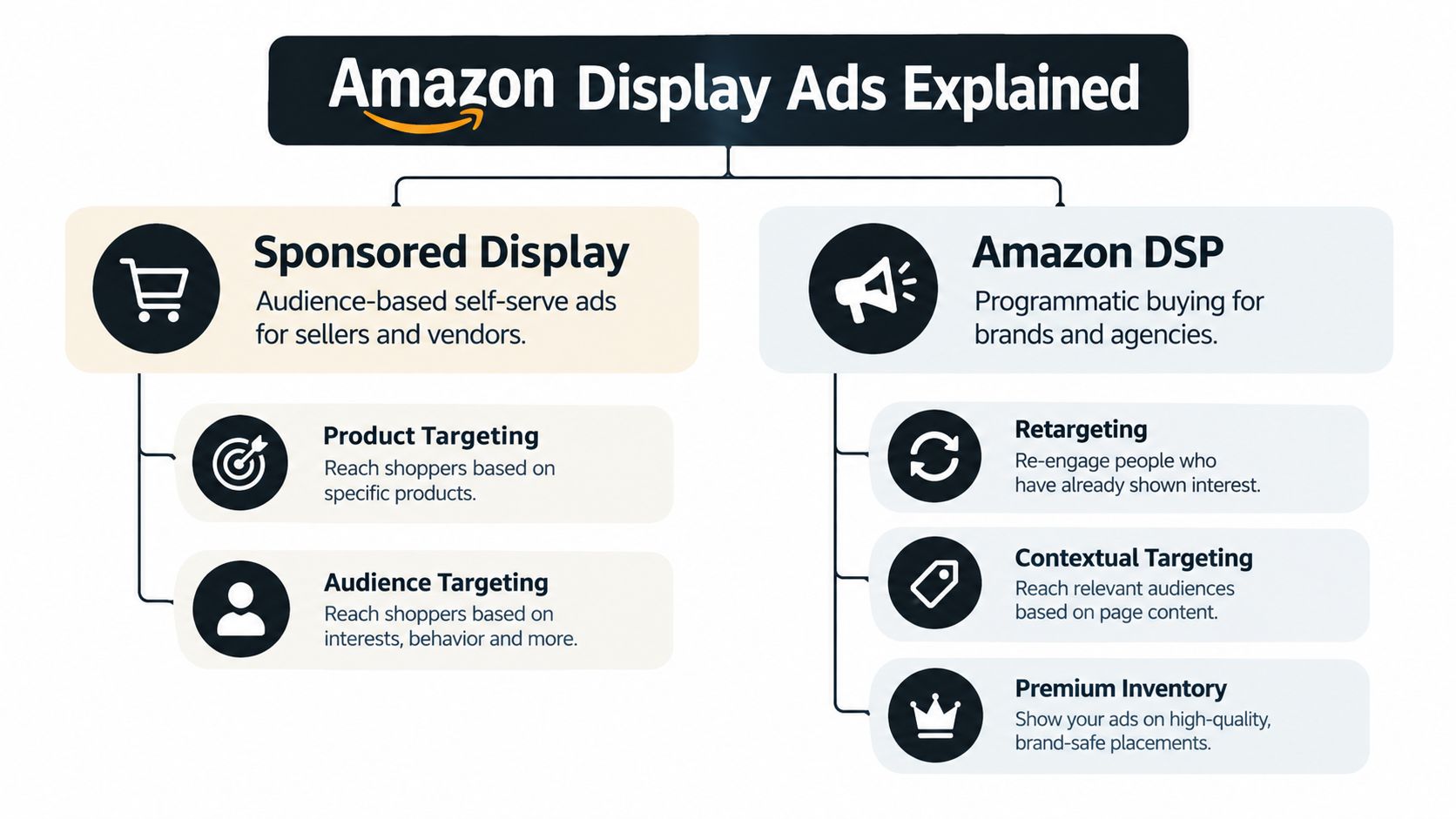
Amazon display ads are not one product. Sponsored Display is the self-serve option for sellers and vendors, while Amazon DSP is the programmatic system for buying display and video inventory across Amazon-owned and external environments. Both can support reach, retargeting, and audience-based buying, but the operating model is different enough that they should be planned as separate lines, not one blended bucket.
Two products, two buying models
Sponsored Display is built for account operators who want audience and product-based targeting inside Amazon Ads. It is useful when a seller wants to influence shoppers who viewed a product, viewed similar products, or sit in broader audience groups. Amazon DSP sits closer to media buying, with programmatic controls and broader inventory access.
Practical rule: if the team needs self-serve Amazon Ads controls, start with Sponsored Display. If the team needs programmatic buying across Amazon and beyond, the conversation is about DSP.
The scale matters because Amazon is no longer a niche ad environment. Amazon reported approximately $46.9 billion in advertising-services revenue for 2023, then approximately $56.2 billion for 2024, which shows the advertising system has grown into a major business line rather than a small add-on. That headline revenue includes sponsored ads, display, and video formats, so it should not be read as standalone display revenue, but it does establish the size of the ecosystem display ads operate inside (Amazon's 2024 advertising-services results, Amazon Advertising Report 2024).
How operators should think about budget
A clean planning model splits the budget by job. Sponsored Display usually belongs near product consideration, remarketing, and audience expansion. DSP belongs where broader programmatic reach, richer inventory access, and cross-site buying matter more.
That separation helps prevent false conclusions. A campaign that looks weak under a search-style mindset may still be doing the right work in display, where exposure and later conversion often happen in different places. The core discipline is to keep product-page influence, audience reach, and broader media buying distinct in reporting.
For a broader framing of Amazon ads as a buyable system, the most useful companion read is Sponsored Amazon Ads, because display sits inside the larger Amazon Ads mix rather than replacing it.
Who Can Run Sponsored Display and Amazon DSP
Who gets access, and what kind of buying motion does each product expect?
Sponsored Display access
Sponsored Display sits inside Amazon Ads and is available to professional sellers enrolled in Amazon Brand Registry, vendors, and agencies managing eligible accounts. That makes it the faster route for sellers who want audience-based display without moving into a programmatic seat.
Brand Registry matters because it supports eligibility on the seller side of the display stack. Vendors and agencies can also run Sponsored Display for eligible accounts, so the access model is broader than seller accounts alone. For teams that want the cleanest definition of how DSP differs as a buying model, What Is a DSP Advertising gives the right context without blurring the two setups.
DSP access
Amazon DSP is usually not a casual self-serve toggle. It is typically handled through an Amazon Ads account manager or an approved partner, with self-service access reserved for advertisers that meet Amazon's criteria. Agencies often hold seats to manage multiple client accounts, which makes DSP a media-buying environment with more operational overhead around planning, trafficking, and reporting.
Operator takeaway: Sponsored Display is the faster route for eligible sellers. DSP is the route when the buying motion, inventory scope, or agency structure justifies a programmatic setup.
The practical split is straightforward. If the account sits inside Brand Registry and the team wants Amazon-native display controls, Sponsored Display is the natural starting point. If the team needs programmatic buying and broader inventory access, DSP belongs in a separate media plan. The next question after access is which targeting levers Sponsored Display exposes, which is where the buying model difference starts to matter.
Targeting Options for Sponsored Display
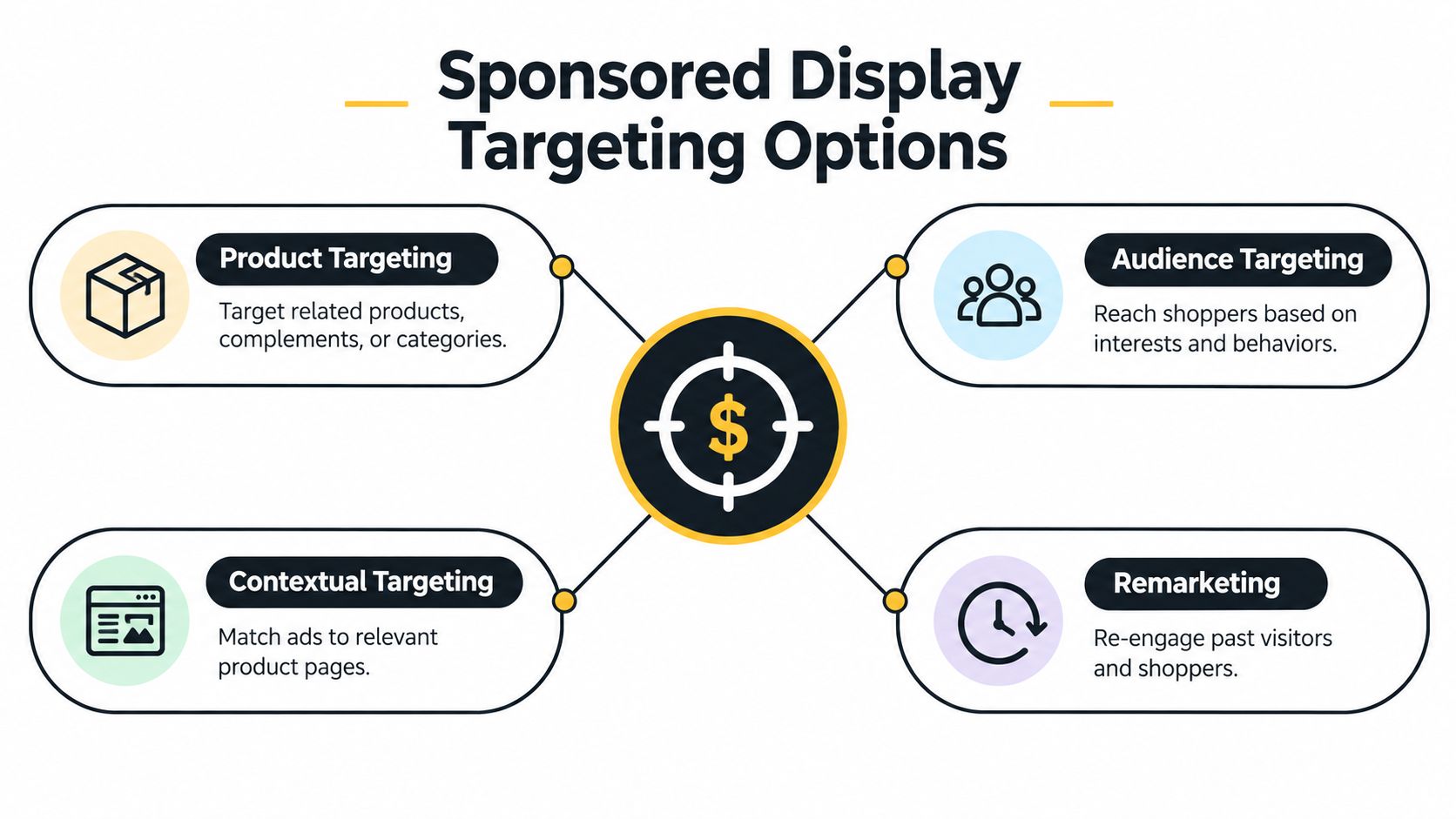
Sponsored Display is audience-based, not keyword-only. That distinction matters because the operator is not bidding against search terms alone, the operator is shaping who sees the ad and under what intent signal. Amazon's own Sponsored Display guide makes the targeting structure explicit: product viewers, similar products, and broader category or product audiences.
Product viewers and lookback windows
The tightest audience is the shopper who already viewed the advertised ASIN. Amazon provides configurable 7-day, 14-day, 30-day, 60-day, or 90-day lookback windows, which makes the retargeting window a tactical decision rather than a fixed rule. Shorter windows usually favor hotter intent, while longer windows broaden the pool.
That choice should not be blended across campaigns if the team wants useful readouts. A 7-day retargeting audience and a 90-day retargeting audience behave differently, so they deserve separate reporting. If the account mixes them together, the operator loses the ability to tell whether the conversion rate came from timing or audience quality.
Similar products and broader audiences
Amazon also allows targeting of shoppers who viewed similar products, plus broader category or product audiences. Those options expand beyond direct retargeting and let the campaign find shoppers who are still in-market even if they never touched the exact ASIN. That is where Sponsored Display starts to behave like controlled audience expansion instead of pure recovery.
The campaign objective matters too. A clicks objective bids toward shoppers more likely to visit a product page, while a conversions objective prioritizes audiences with higher predicted purchase rates. That is a useful distinction because it means the same targeting block can deliver differently depending on the business goal.
Practical rule: keep objective and lookback window separate in reporting. Compare conversion rate, cost per order, ROAS, and new-to-brand outcomes only after the campaigns have been split cleanly.
For teams that want to inspect targeting structure in a workflow, Amazon Ads Automation is a useful adjacent read because the operational problem is not just setting targets, it is keeping them legible as they change.
Bidding, Cost Types, and the Reports Amazon Returns
How should a display campaign be bought on Amazon, and what does the reporting show? Sponsored Display gives operators cost-per-click and cost-per-thousand-impressions options for audience campaigns, and the bid strategy has to fit the campaign objective. The bid is not a standalone setting. It is part of the buying model.
Cost logic and target structure
Clicks-based bidding fits accounts that want product-page visits. Impression-based buying fits reach and exposure work, where the goal is to keep the brand in front of shoppers even if the next action is not immediate. Those are different economics, so the bid choice should follow the objective, not team habit.
One technical constraint matters in structured workflows. Amazon's Sponsored Display API states that only one ASIN may be specified per targeting expression. If a workflow tries to place multiple ASINs into one expression, validation can fail, so the ASIN-to-expression relationship has to stay clean in the account model.
The reports that matter
Amazon surfaces reporting at the main entity levels, campaign, ad group, target, and product. That hierarchy is the right one for display analysis because each level answers a different operating question.
| Report | Entity | Operator Use |
|---|---|---|
| Campaign report | Campaign | Check budget, objective, and top-line performance |
| Ad group report | Ad group | Compare structured setup across grouped ads |
| Target report | Target | Inspect audience or product targeting quality |
| Product report | Product | Review how individual ASINs are performing |
Use those reports together, not in isolation. Campaign rollups show whether spend and objective are lining up. Ad group views help compare setup choices inside the same campaign. Target and product reports expose where audience quality or ASIN-level performance is drifting.
Keep the ASIN relationship visible in the model, and log any API validation failure with the affected target. That prevents broken writes from getting lost inside a campaign rollup.
Measurement Beyond Attributed ROAS
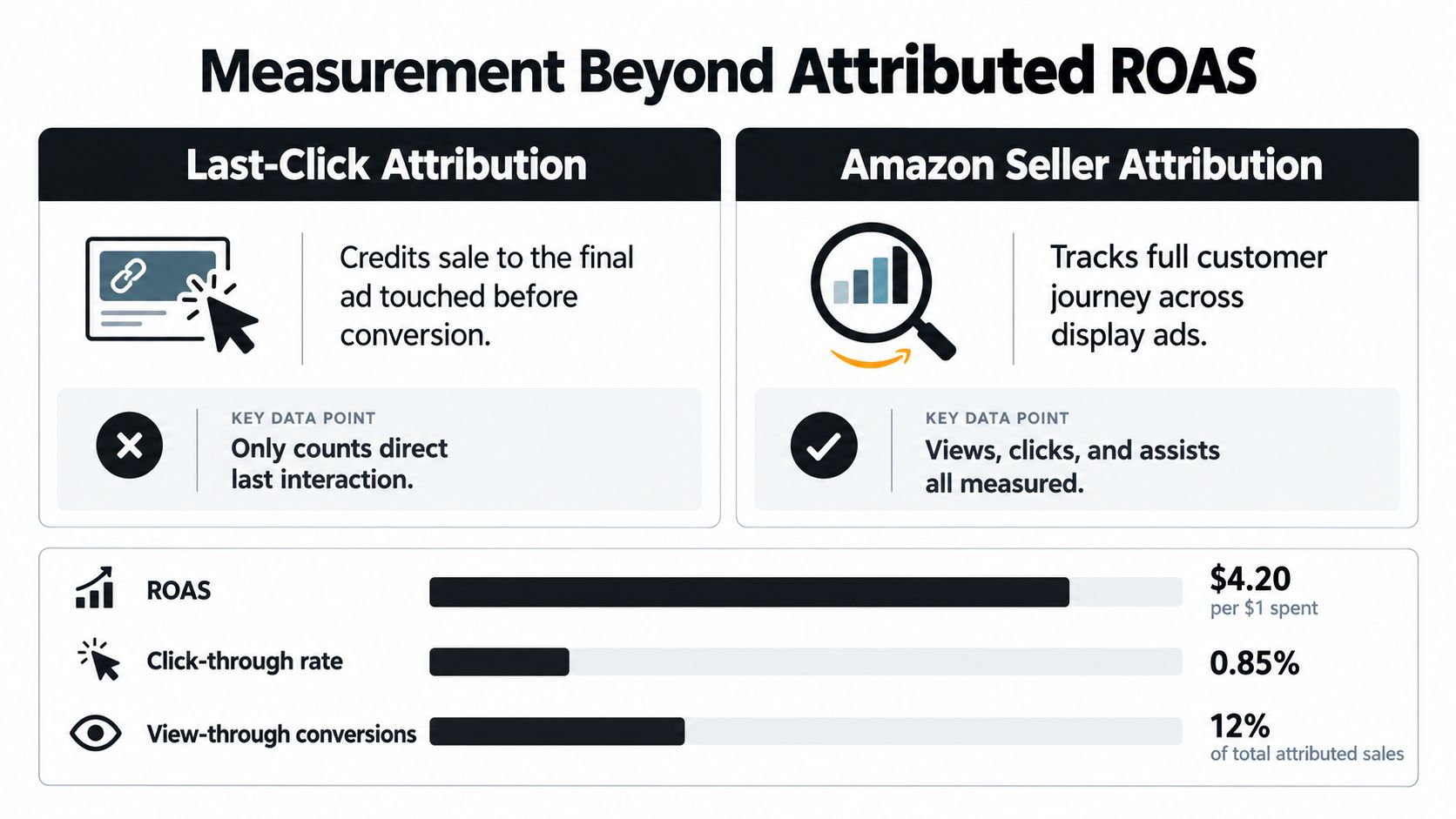
Attributed ROAS is useful, but it's not enough. Amazon's seller attribution framework uses a last-click model with a seven-day lookback for sellers, which means display can get credit for a conversion that had other influences before the final click. That creates a real measurement blind spot.
Why attributed sales can mislead
A display ad may influence a shopper who was already close to buying, or it may push interest that turns into branded search, repeat purchase, or off-Amazon conversion later. None of that is captured cleanly if the team stares only at attributed sales. Low direct ROAS does not automatically mean display failed, and high attributed ROAS does not prove incrementality.
A more defensible setup uses attributed sales as one input, then checks holdout tests, geo experiments, new-to-brand metrics, branded-query trends, and total business sales. That mix gives the operator a better sense of whether display shifted demand or just captured demand that was already going to happen.
A useful reminder comes from Amazon's own omnichannel case study. Serta reported that 38% of display-ad-driven sales occurred on Amazon and 62% occurred beyond Amazon (Amazon Ads help on omnichannel measurement). That is a single advertiser example, not a universal benchmark, but it shows why default Amazon reporting can miss meaningful influence.
Privacy and measurement drift
Amazon also announced in March 2025 that Amazon DSP integrated Google Privacy Sandbox to support conversion measurement on advertisers' websites, including Chrome users who do not consent to third-party cookies. That change does not make measurement perfect. It does make it more durable, but operators still need to watch modeled versus directly observed conversions, consent rates, browser mix, and discrepancies across Amazon Ads, analytics systems, and Seller Central (Amazon Ads FAQ).
For teams comparing attribution across ecosystems, compare ad metrics across platforms is a useful reference because display only makes sense when it is measured against the rest of the media mix.
How an AI Assistant Reads Display Ads Through Agent Central
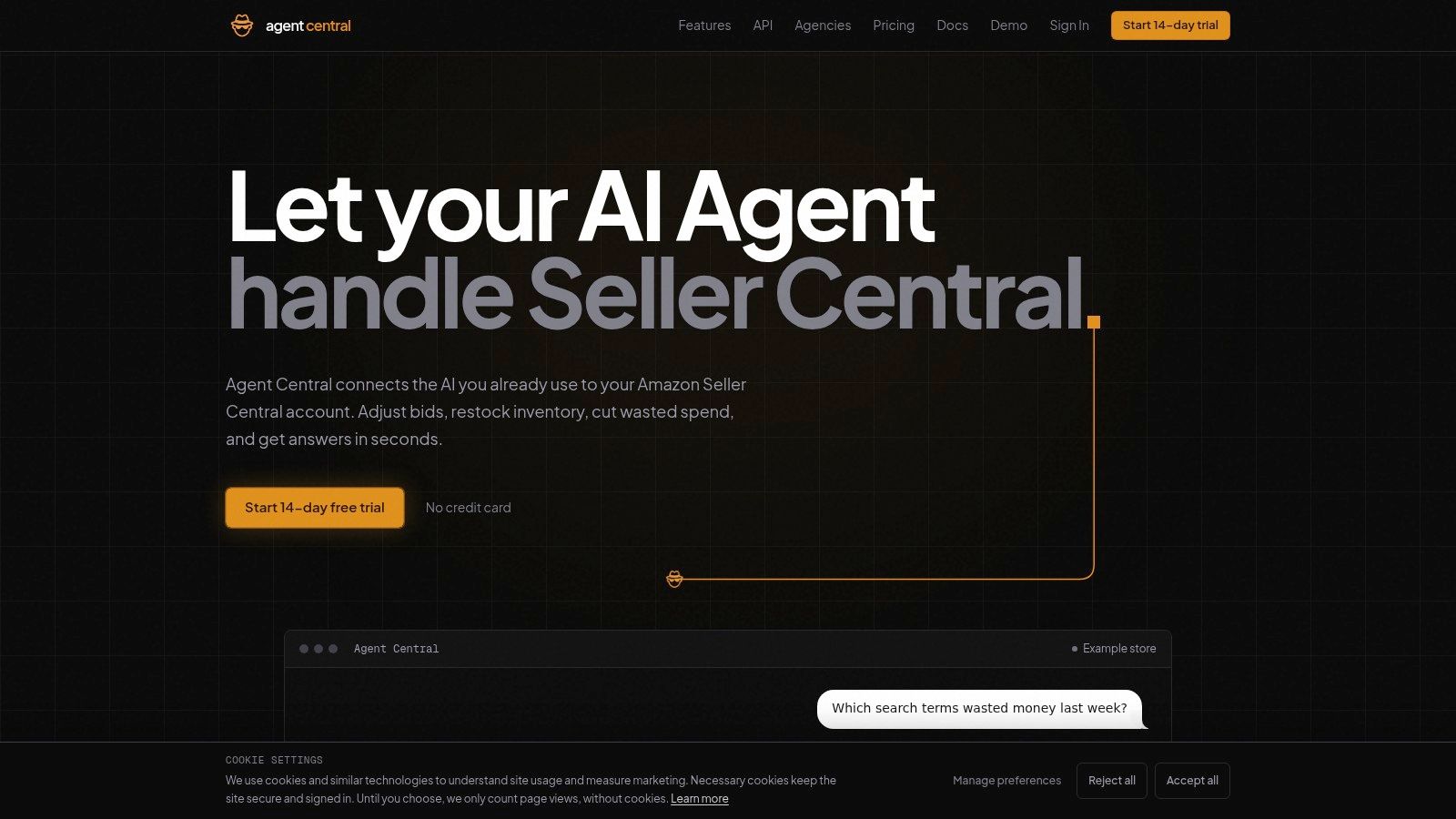
Agent Central connects the AI already in use to Amazon Seller Central and Amazon Ads through a hosted MCP server. For display work, that means an assistant such as Claude, ChatGPT, OpenClaw, Cursor, or another MCP client can read Sponsored Display performance alongside the rest of the Amazon account without forcing the operator to jump between exports and dashboards.
What the assistant can read
Sponsored Display performance is available by campaign, ad group, target, and product, which matches the structure Amazon already uses in reporting. DSP performance is available read-only, so the assistant can inspect it without pretending to manage it. That matters for teams that want one place to reconcile display with the broader account instead of stitching together partial exports.
Practical rule: treat the assistant as a reader and logged writer, not a decision-maker. It returns facts, metrics, classifications, and source-provided fields, then the human workflow decides what to change.
When changes are allowed on the account, Sponsored Display bid, budget, and state changes can be previewed and logged on keys where changes are turned on. That preview step matters because display account work fails in two common ways, bad writes and untracked writes. A governed workflow solves both by showing the before-and-after values and keeping the audit trail attached to the action.
How setup stays controlled
The setup path is straightforward. Sign up at agentcentral.to, connect Seller Central and Amazon Ads through Amazon's authorization, then add the connection to the AI client. The quickstart for Claude lives at Agent Central's Claude setup guide, and pricing details belong on the pricing page if they come up in procurement.
For teams building MCP workflows, Projectify's MCP protocol guide is a useful technical companion because the main challenge is not “AI for ads,” it is making structured reads and guarded writes behave predictably across systems.
A Practical Checklist for Operating Amazon Display
Low direct ROAS is not proof that display failed. The cleaner test is whether the campaign was set up, measured, and read in a way that matches the audience and objective. That starts with three rules, split Sponsored Display by objective and lookback window, treat attributed sales as a hypothesis, and read display next to inventory, ranking, and total sales.
The operator checks that matter
- Confirm eligibility first: verify whether the account qualifies for Sponsored Display or needs a DSP access path through Amazon's own documentation.
- Keep ASINs isolated in writes: if an agent writes targets, confirm the one-ASIN-per-targeting-expression rule before submission.
- Preview every change: any bid, budget, or state change made through an MCP client should be previewed and logged with before-and-after values.
- Separate reporting by structure: compare campaign, ad group, target, and product views before drawing conclusions from an average.
- Check incrementality, not just attribution: use the report as a starting point, then compare against total sales and other signals.
The setup is practical, not magical. The account still needs clean inputs, governed writes, and a human review loop that knows when the numbers are descriptive versus causal. That is especially true for display, where audience behavior is broader than a single click path.
Agent Central connects Amazon Seller Central and Amazon Ads to the AI tools teams already use, with structured reads and guarded writes for display workflows. For operators who need Sponsored Display performance, DSP visibility, and auditable changes in one workflow, the next step is to visit agentcentral and connect the account through Amazon's authorization.
Related Agent Central pages
- Amazon Seller Central MCP server
Canonical hosted MCP overview for Seller Central, Ads, inventory, catalog, finance, and fulfillment data.
- Amazon seller data for AI agents
How Agent Central normalizes Amazon seller data before exposing it to AI clients.
- Amazon Ads MCP server
Campaign, keyword, search term, budget, TACOS, and guarded ads-write tools.
- Ads tool reference
Parameter-level docs for Amazon Ads campaign, keyword, search term, budget, and TACOS tools.
- Amazon seller MCP servers compared
How hosted MCP services compare with official Ads MCP, local repos, connector tools, and automation platforms.
- Connect Seller Central to Claude
Step-by-step path from Amazon OAuth to a Claude connector or MCP config.
Related reading
- What Amazon DSP Means: Your 2026 Guide for Operators
What Amazon DSP means for operators in 2026: the Demand-Side Platform defined, how it compares with Sponsored Ads, and how its data fits MCP workflows.
- Amazon Negative Keywords: Match Types, Limits and Workflow
Amazon negative keywords block search terms you choose. Learn negative exact vs phrase, word limits, when to add them, and how to check the results.
- Amazon Ads API: Access, Cost, Reporting and Limits
Is the Amazon Ads API free? How to get access, how async reporting and limits work, and when a hosted connection like Agent Central saves the build.
- What Is Amazon PPC? How Sponsored Ads Work
Amazon PPC is a cost-per-click auction for Sponsored Products, Brands, and Display ads. See how targeting, budgets, reporting, and guarded workflows fit.
Connect Amazon seller data to your AI client.
Agent Central gives Claude, ChatGPT, OpenClaw, Cursor, and other MCP clients structured access to Amazon Ads, Seller Central, inventory, orders, catalog, finance, and fulfillment data.