
Amazon Pricing API: A Practical Guide for Sellers
Learn how the Amazon pricing API works, what it returns, and how to read or change your prices through Amazon's Selling Partner API.
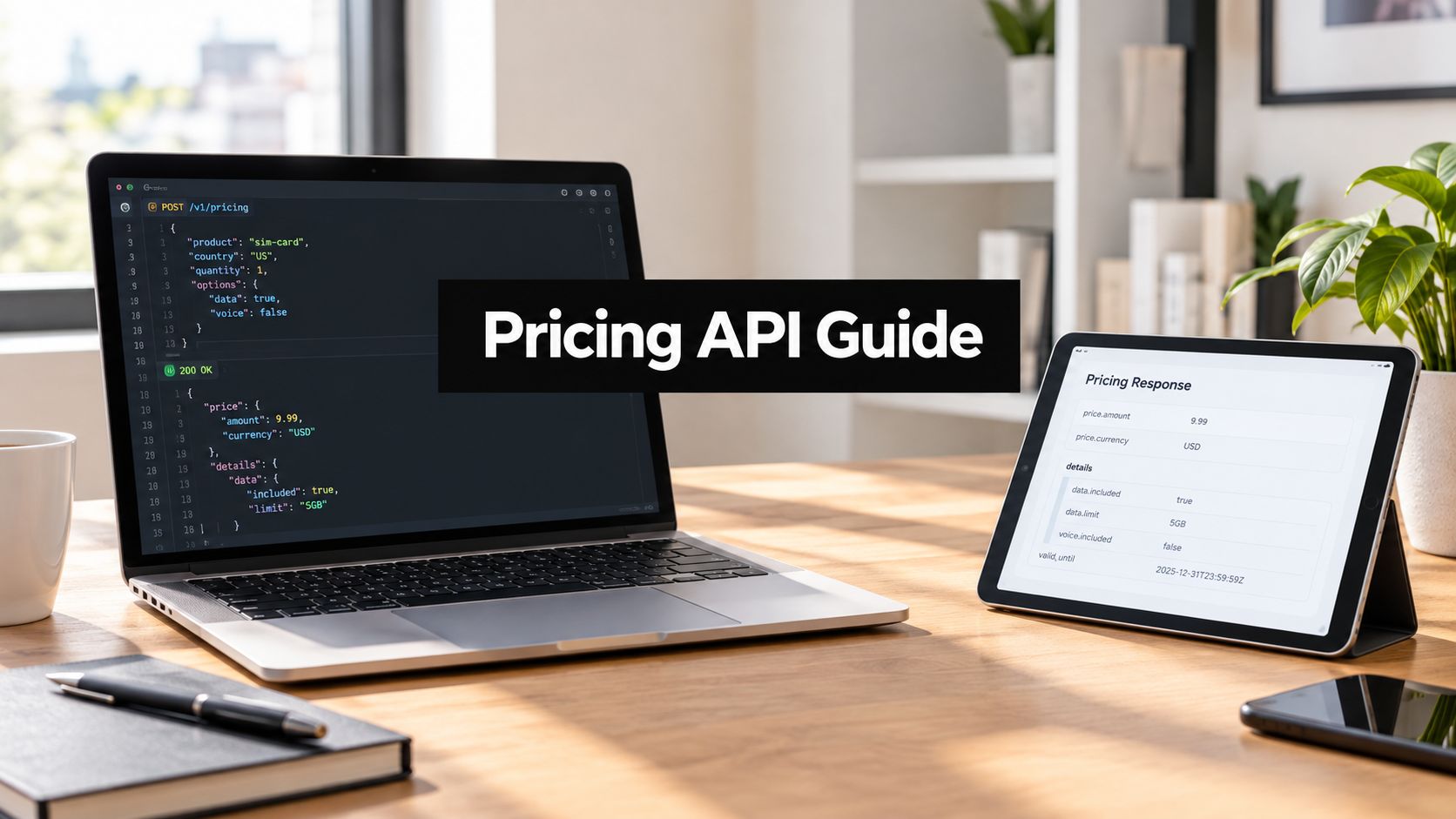
Yes, Amazon has a pricing API for sellers, and it's part of the Selling Partner API (SP-API). The Product Pricing API reads your offers, competitive prices, and Featured Offer data; the Listings Items API is what sellers use to change a price.
The important distinction is that reading market information and writing a seller's own price are separate jobs, with different API access and operational safeguards. An integration needs to account for marketplace authorization, request limits, offer-level details, and the difference between an observed competitive price and a price that has been applied to a listing.
Table of Contents
- Is There an Amazon Pricing API for Sellers
- Who Can Call the Pricing API and How Access Works
- Reading Competitive Prices and Your Own Offers
- Response Fields That Actually Matter for Repricing
- Changing Your Own Price Through the Listings Items API
- Combining Pull Calls With Price Change Notifications
- Batch Limits, Throttling, and the Economics of Catalog Scale
- Quick Reference for the Operations Covered So Far
- When an MCP Server Reads and Writes Prices for You
Is There an Amazon Pricing API for Sellers
Yes. Amazon's Product Pricing API is the read interface for a seller's offer information and market comparisons within SP-API, Amazon's REST-based platform for sellers. Its operations can return pricing for the seller's offers, competing offers, and Featured Offer information. Amazon's Product Pricing API documentation describes the current interface, while the SP-API documentation provides the broader platform context.
Changing a seller's own listing price is a different task. Amazon documents price updates through the Listings Items API, rather than through Product Pricing. That read-versus-write split matters in system design: pricing observations belong on the Product Pricing side, while a controlled listing mutation belongs on the Listings Items side. See Amazon's Listings Items API documentation for the write path.
The Product Advertising API is separate. It serves Amazon Associates and their product advertising use cases, not seller pricing workflows. Sellers building repricers or pricing dashboards should start with SP-API documentation, not assume that an Associates API is the route to Seller Central offer data.
A practical mental model is simple: Product Pricing reads; Listings Items writes. Amazon's developer documentation is the source to verify the operations, authorization requirements, request limits, and listing schemas before implementation.
Who Can Call the Pricing API and How Access Works
SP-API access isn't just a matter of finding the right endpoint. A production integration needs an application, seller authorization, and the appropriate role grant for the data it intends to access. Amazon's developer registration guide and authorization overview describe the setup sequence.
First, a developer registers an SP-API application. The application can be private to a seller's own business or public for use by multiple selling partners. That choice affects the authorization flow and how the application requests access. A tool used only by one seller has a different onboarding path from a service that connects many sellers' accounts.
Next, the seller authorizes the application through Amazon's authorization flow. The application receives access within the scope of the seller's approval; a developer registration alone doesn't grant access to a seller's pricing data. The application also needs the Pricing role for Product Pricing access. A missing role grant can prevent pricing calls from returning the expected data even when the application is otherwise configured correctly.
Access check: Treat seller authorization and role approval as separate deployment checks. Confirm both before debugging response parsing or request construction.
Access must be tested against each selling partner and marketplace in the intended rollout. Marketplaces can differ in availability, identifiers, currencies, and listing context, so a successful test in one marketplace shouldn't be treated as proof that every target marketplace is ready. Teams comparing implementation approaches can use this overview of Amazon SP-API as a starting point, then confirm access details against Amazon's developer documentation.
Reading Competitive Prices and Your Own Offers
Reading prices through SP-API splits into two jobs that sellers often conflate: checking what your own offer looks like, and seeing what that offer competes against. The Product Pricing API reference linked earlier documents the operations; which one you call depends on which question you are asking.
getPricing returns pricing for the seller's own offer listings, keyed by seller SKU or ASIN. getCompetitivePricing returns competitive pricing for a product identified by ASIN. The first suits a catalog audit. The second answers how your price stacks up against the market for the same product.
Offer-level calls narrow the question further: who is listed against this item right now. getListingOffers returns the lowest-priced offers for one SKU listing, while getItemOffers does the same for a single ASIN across conditions. Those offers differ by seller, condition, fulfillment channel, and shipping, so two listings showing the same item price can sit in very different competitive positions. For context on how offer position affects who wins the Featured Offer placement, see this guide to the Amazon Buy Box.
| Operation | Returns | Identifiers per request |
|---|---|---|
getListingOffers | Lowest-priced offers for one SKU listing | One SKU |
getItemOffers | Lowest-priced offers for one ASIN across conditions | One ASIN |
Two newer operations consolidate much of this read work. getCompetitiveSummary returns featured offers, lowest-priced offers, seller and condition detail, fulfillment types, and reference prices for an ASIN in one response. getFeaturedOfferExpectedPriceBatch returns Featured Offer Expected Price data for up to 40 seller SKUs per request, according to Amazon's Product Pricing API documentation.
The identifier limits are the design constraint. Offer-level calls accept a single SKU or ASIN each, so repricing a large catalog means thousands of sequential lookups. Batch-oriented calls amortize that work but cap every request. A client built on the assumption of unlimited bulk reads will fail at the boundary, no matter how clean its authorization and request signing are.
Response Fields That Actually Matter for Repricing
A useful repricer doesn't store “price” as a single number. Amazon's pricing references include the Competitive Price Threshold, Featured Offer Price, and Average Selling Price, each describing a different comparison point. The pricing FAQ defines Average Selling Price from purchases made in the Amazon store during the preceding 60 days: customer purchase prices summed and divided by units sold.
The Competitive Price Threshold reflects competitive prices from other retailers, excluding other Amazon sellers. Amazon states that an offer's total price, item price plus shipping, may make it ineligible for the Featured Offer if it exceeds that threshold. That's why a repricer should compare landed price, not just the item price shown in a listing. An offer can appear competitive at the item-price level while shipping changes its actual position.
Amazon's pricing notifications expose fields including competitivePriceThreshold, landedPrice, buyBoxPrices, and averageSellingPrice. Persist those values with the marketplace and offer context so a later decision can be traced to the information available at the time.
A practical per-SKU, per-marketplace record should include:
- Identity: Seller SKU, ASIN, marketplace, condition, and currency.
- Offer context: Fulfillment channel, item price, shipping, landed price, and seller.
- Competitive signals: Featured Offer price, Competitive Price Threshold, and relevant lowest-priced offers.
- History and status: Average Selling Price, eligibility fields, and the time each value was last verified.
For operators refining how a price is built from cost and margin components, these markup strategies for wholesale jewelry offer a useful example of pricing structure beyond the marketplace snapshot. The API supplies inputs; the seller's business rules determine how those inputs become a proposed price.
Changing Your Own Price Through the Listings Items API
A pricing read tells you where an offer stands. The write path starts when your repricer decides a new amount should exist on Amazon.
Before preparing that write, resolve seller SKU, marketplace, listing condition, fulfillment channel, and currency. A matching SKU alone can point at the wrong offer once the same ASIN appears in FBA and FBM, or across marketplaces with different tax and currency handling. Validate the proposed amount against seller-defined minimum and maximum bounds, margin rules, and the listing schema currently accepted for that product type.
The following simplified body illustrates the kind of PATCH payload a workflow might prepare. Exact requirements depend on the listing and current Amazon schema, so production code should follow Amazon's Listings Items API reference rather than copying this shape.
json{
  "productType": "PRODUCT",
  "patches": [
    {
      "op": "replace",
      "path": "/attributes/purchasable_offer",
      "value": [
        {
          "marketplace_id": "TARGET_MARKETPLACE",
          "currency": "TARGET_CURRENCY",
          "our_price": [
            {
              "schedule": [
                {
                  "value_with_tax": 29.99
                }
              ]
            }
          ]
        }
      ]
    }
  ]
}
The amount and placeholders show structure only. Resolve the marketplace, currency, product type, and offer attributes before submission, then send the smallest patch that expresses the intended change.
Make writes auditable and repeatable
Treat each price change as an idempotent state transition inside your own system. Compare the latest known listing value with the requested value, derive a deterministic request key from SKU, marketplace, fulfillment channel, and target price, and refuse a second submission when the same transition is already in flight. Retry throttled calls with exponential backoff, but do not retry a business-rule rejection as if it were transport noise.
Keep the audit record boring and complete: prior value, requested value, marketplace, timestamp, actor, request key, payload hash, and API response. A successful HTTP response means Amazon accepted the submission, not that the listing now shows the requested price. Schedule a reconciliation read after the write, store the observed listing state separately from the submitted request, and alert when the observed state stays different after the expected processing window.
Combining Pull Calls With Price Change Notifications
Pull calls give you pricing state on demand. Notifications tell you something changed. Amazon documents `ANY_OFFER_CHANGED` for changes to competing offers, the Featured Offer, or external prices, and the same notification framework covers PRICING_HEALTH for Featured Offer disqualification.
The reliable pattern is event-triggered verification. A notification arrives, your consumer flags the affected SKU or ASIN, and a read call confirms current state before any repricing logic runs. Events are asynchronous and can arrive late or out of order, so they supplement periodic reconciliation reads rather than replace them.
The consumer has to survive ordinary delivery problems:
- Deduplication: the same event can arrive more than once, and repeat delivery should not queue repeat work.
- Replay handling: missed or replayed events need a safe path back to current state.
- Freshness timestamps: store when each signal was received and when the underlying state was last verified.
- Reconciliation: a scheduled read sweeps up anything the event stream dropped.
Operational rule: An event is a reason to check state, not proof that every stored field is current.
In an agent workflow, expose Amazon's raw notification payloads and pricing response fields alongside normalized values. An operator should be able to trace any price change back to the exact signal and verified state that triggered it.
Batch Limits, Throttling, and the Economics of Catalog Scale
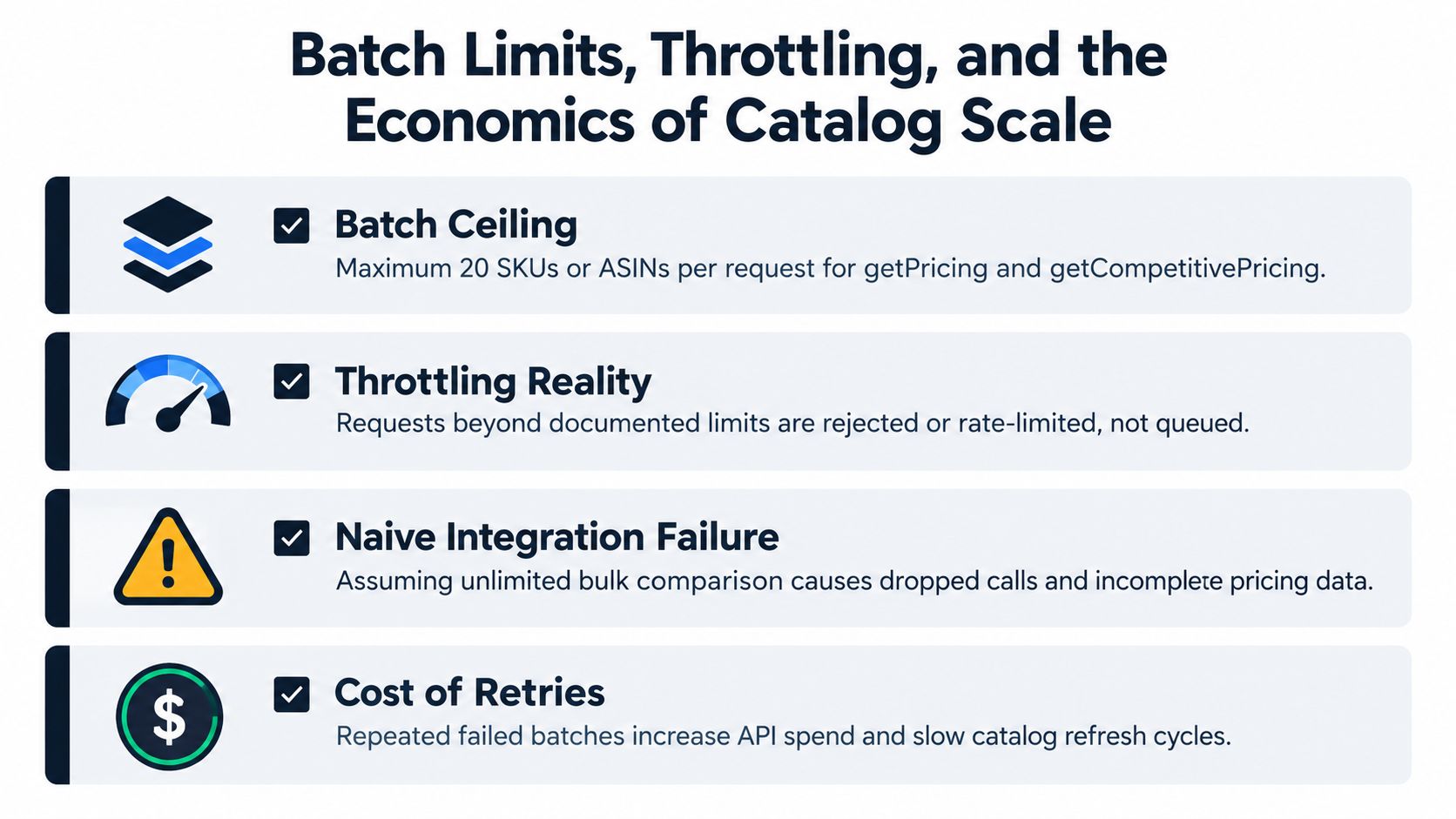
Catalog-scale pricing is a scheduling problem, not an endpoint-selection problem. The batch ceilings documented earlier mean a 10,000-SKU catalog needs on the order of 500 getPricing calls per full pass, before you count retries, throttled responses, or the competitive reads running alongside them. Scheduling and backoff design become the primary constraint at that point.
Pricing reads also shouldn't be confused with fees. A competitive offer can look profitable before marketplace-specific fulfillment, referral, and other fees are included. Amazon's Product Fees API rate-limit documentation shows that fee-estimate operations carry their own restrictive usage limits, and the applicable ceiling can depend on the selling-partner and application pair. Multiple usage plans may apply, with the first threshold reached controlling throttling. Writes through the Listings Items API face their own quotas as well, so a repricer that reads and reprices the same catalog burns budget on both sides of the job.
The architecture question is which state you refresh and when. Polling every SKU on a fixed cadence is the simplest model and the most expensive. Notifications cut read volume but still need verification reads. A locally synchronized price-and-fee record reduces API pressure but adds a consistency problem of its own. Each option trades freshness against request volume and operational complexity.
A practical design includes marketplace-aware scheduling, token-bucket backoff, quota observability, stale-data policies, and prioritization by sales velocity or Featured Offer exposure. I've watched retry storms starve the reads that mattered most, with a client hammering a throttled partition while high-velocity SKUs sat hours stale. Retries without controls delay useful work rather than recover it.
Quick Reference for the Operations Covered So Far
Use this as a routing table: pick the read operation that answers the pricing question, then use listings writes only after the decision is made.
| Operation | Read or write | Typical use case | Request shape |
|---|---|---|---|
getCompetitivePricing | Read | Benchmark landed price and offer context before repricing | Batch lookup |
getListingOffers | Read | Inspect offers on one of your seller SKUs | Single SKU |
getItemOffers | Read | Compare the offer field on one ASIN | Single ASIN |
getCompetitiveSummary | Read | Pull a compact market snapshot for repricing logic | ASIN-level read |
getFeaturedOfferExpectedPriceBatch | Read | Check whether your price can plausibly win the Featured Offer | Batch SKU read |
getPricing | Read | Confirm your own current offer state before writing | Batch lookup |
| Listings Items API | Write | PATCH price or quantity on your own listing | Seller SKU plus marketplace |
ANY_OFFER_CHANGED | Event | Trigger verification reads when competitors move | Subscription |
PRICING_HEALTH | Event | Catch Featured Offer eligibility problems early | Subscription |
Keep read calls for decision inputs, write calls for approved changes, and notifications as triggers rather than truth. Verify the current schema, permissions, and limits in the Amazon developer documentation cited throughout this guide.
When an MCP Server Reads and Writes Prices for You
Building directly on SP-API gives a development team control over request handling, storage, notifications, retries, and audit design. It also means the team owns application registration, seller authorization, role grants, marketplace coverage, and ongoing maintenance of the integration.
Agent Central is an alternative for teams that want an MCP connection to Seller Central and Amazon Ads without standing up their own SP-API service. Through an approved Selling Partner API connection, Claude, ChatGPT, and other MCP clients can read listing prices, competitive pricing, offer listings, and Buy Box status. The documented workflow can also change a price with a validation preview, a duplicate guard, and an audit log. Details are available on the Amazon Seller Central MCP page.
| Consideration | Direct SP-API build | Agent Central |
|---|---|---|
| Access | The team implements app registration, seller authorization, and role grants | Uses an approved Selling Partner API connection |
| Reads | The team builds and maintains request, storage, and retrieval workflows | MCP clients read prepared account records that sync on a schedule |
| Price changes | The team implements validation, duplicate handling, and audit records | Price changes use a validation preview, duplicate guard, and audit log |
| Control | The team owns its implementation and operational behavior | The team uses the documented connection and guarded workflow |
The underlying Amazon authorization and marketplace access requirements don't disappear when a hosted MCP server is used. What changes is the integration work: account data syncs on a schedule, so routine questions can be answered from prepared records rather than waiting on Amazon's asynchronous reports. Amazon Ads reporting itself remains asynchronous, with report creation, status checks, and a download step; Amazon says generation can take up to three hours in its reporting API guide.
Teams evaluating MCP setup can review this MCP server integration guide. Agent Central returns facts and source-provided fields, while the seller's agent or team decides what action to take. Plans are priced by monthly Amazon order volume, with a 14-day free trial that needs no card; the Agent Central pricing page has the plan details.
Agent Central connects Claude, ChatGPT, and other MCP clients to Amazon Seller Central and Amazon Ads, including scheduled pricing reads and guarded price changes with audit logs. For teams deciding whether to build pricing workflows directly on SP-API or connect through an MCP server, visit agentcentral to review the connection options.
Related Agent Central pages
- Amazon Seller Central MCP server
Canonical hosted MCP overview for Seller Central, Ads, inventory, catalog, finance, and fulfillment data.
- Amazon seller data for AI agents
How Agent Central normalizes Amazon seller data before exposing it to AI clients.
- Amazon seller MCP servers compared
How hosted MCP services compare with official Ads MCP, local repos, connector tools, and automation platforms.
- Connect Seller Central to Claude
Step-by-step path from Amazon OAuth to a Claude connector or MCP config.
- ChatGPT with Amazon seller data
ChatGPT-specific setup path for Amazon seller data through hosted MCP.
Related reading
- Amazon Sponsored Brands: Formats, Targeting, and Setup
Learn what Amazon Sponsored Brands is, how it differs from Sponsored Products, what creative and targeting it supports, and how to set up and optimize
- Amazon FBA Reimbursement: How to Recover Lost Funds
Learn how to file an Amazon FBA reimbursement for lost, damaged, or overcharged inventory. Get step-by-step guidance to recover the money you're owed.
- Amazon Brand Analytics: Reports and Metrics Guide
Learn how Amazon Brand Analytics reports reveal search terms, click share, and competitor data, and how to use these insights to grow sales in 2026.
- Amazon Seller Assistant vs AI Agents
Compare Amazon Seller Assistant vs AI agents for operations. See how Agent Central connects Claude and ChatGPT to Seller Central and Ads data.
Connect Amazon seller data to your AI client.
Agent Central gives Claude, ChatGPT, OpenClaw, Cursor, and other MCP clients structured access to Amazon Ads, Seller Central, inventory, orders, catalog, finance, and fulfillment data.