
Amazon Back End Keywords: Limits and How to Check
Amazon back end keywords are hidden Search Terms under 250 bytes. Learn Seller Central limits, edit steps, and how to compare your own changes.

Amazon backend keywords are hidden Generic Keyword or Search Terms used for lexical matching. Amazon caps the field at less than 250 bytes, and marketplace plus product-type validation decides whether a value saves. That isn't a universal 250-character box.
Most checklists still say to pack the box until it looks full. The sharper question is which tokens earn space when the same string costs more bytes in German or Japanese than in English, and how a seller confirms a change without treating a click swing as proof that the term indexed or that sales will follow.
Say a private-label bottle sells in the US and in Germany. Those are separate listing records. A string that saves on one storefront can fail validation on the other. The work is scarce allocation, then a check against the seller's own weekly listing snapshots and full Search Query Performance weeks.
Table of Contents
- What Are Amazon Backend Search Terms
- How Many Bytes Can Search Terms Use
- Which Terms Deserve the Limited Bytes
- How to Edit Search Terms in Seller Central
- How Can Sellers Check Search Term Changes
- Connect Agent Central for Snapshot Checks
- Pitfalls and Confirmation Before a Write
What Are Amazon Backend Search Terms
Open a desk lamp ASIN where the title already reads "LED desk lamp with USB charging port," and the Search Terms attribute sits blank underneath. Shoppers never see that field on the product page. Its only job is to hold vocabulary that has nowhere better to live, and every word in it competes for a byte budget that shifts with the marketplace and the language.
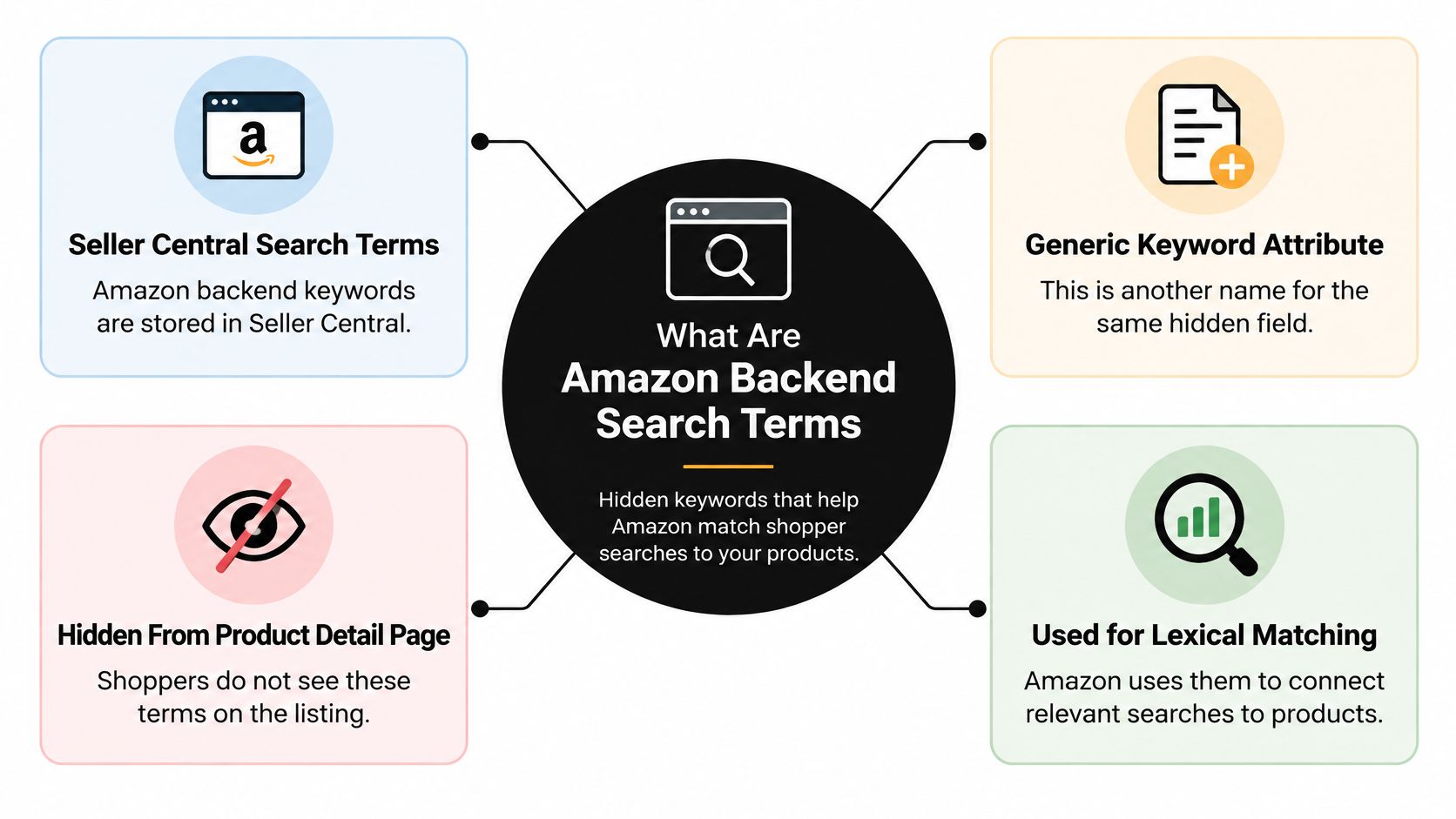
The candidates are the words a title cannot carry cleanly.
- Synonyms and alternate names: terms shoppers use for the same object.
- Abbreviations and spelling variants: short forms and regional spellings.
- One inflection: singular or plural, not both copies of the same word.
Amazon Seller Central help recommends lowercase text, spaces between words, and no punctuation, and says to skip articles and prepositions such as "a," "and," "or," "the," and "with." The same page notes sellers once had up to 5,000 bytes across five search-term fields before Amazon consolidated them into one, a change made because the larger quota encouraged irrelevant or excessive terms that could degrade search quality.
Backend terms supplement accurate titles, bullets, and structured attributes. They don't replace them.
Allocation gets harder across borders. The same decision lands on an ecommerce SEO agency Oslo managing several European storefronts on cross-border catalogs: each local listing is its own record with its own field, and only one variant earns the bytes. A popular query that does not describe the product spends that space on noise.
The discipline continues after the save. A weekly snapshot of the seller's own listings shows the string Amazon stored, and a full Search Query Performance week records which queries, impressions, and clicks the ASIN collected. Neither proves indexing, and neither promises sales. Ad-attributed revenue keeps accruing to earlier clicks for up to 14 days, so the latest week is still settling. And anyone claiming to read a competitor's search terms is guessing at a field that is not public.
How Many Bytes Can Search Terms Use
Capacity comes before the word list. Amazon's Seller Central help for Germany limits the Search Terms attribute to less than 250 bytes for both newly registered and existing ASINs. The count is UTF-8 bytes, not glyphs on screen.
| Case | Counting rule | Practical effect | What to verify |
|---|---|---|---|
| English letter or digit | Generally 1 byte | A long English string can approach the cap | Seller Central byte counter on that ASIN |
| German umlaut such as ä | Often 2 bytes | Fewer visible characters than the same English draft | DE and other EU marketplace editors |
| Japanese or Chinese character | Often 3 or 4 bytes | A short local phrase can fill the field | Do not paste an English 250-character draft |
| Spaces and punctuation | Amazon UK help says they are not counted toward length | Still separate words with spaces and skip punctuation | Local help page for that marketplace |
| Over-limit text | Documented cap is less than 250 bytes | Excess has drawn a warning and only the in-limit portion was retained | Product type attribute for that marketplace |
Why the same draft fails in another language
Basic English letters and digits generally use one byte each, so a long English string can approach the cap without looking unusual. A German ä can use two bytes. Japanese or Chinese characters can use three or four. A translated line therefore reaches the cap with fewer visible characters than the English draft. Pasting a "250-character" US string into DE or JP is a bad habit, not a transfer method.
Amazon Seller Central help for the UK states that spaces and punctuation aren't counted toward the length calculation. Separate terms with spaces anyway so the string stays readable, and leave punctuation out. The Seller Central byte counter on that ASIN is the number that matters, not a desktop character counter.
The cap is an operational cutoff
The Germany help also records a 2018 warning. Terms over the limit trigger a warning, and only the portion within the limit is retained. That makes the cap a save threshold, not a style tip. Prioritize unique, relevant terms and strip duplicates before submit. Amazon points sellers toward synonyms, abbreviations, and alternative names, and away from repeated words and irrelevant claims.
Product type can still reject a short string
Schema validation sits beside the byte cap. Confirm Search Terms or Generic Keyword on the product type for that marketplace. A value can look under the byte cap and still fail because the attribute isn't valid for that product type, or because another marketplace's editor uses a different definition. Some writeups still describe a 500-byte field or a flat 250-character box. Those aren't Amazon's documented rule for this attribute.
Which Terms Deserve the Limited Bytes
A shorter, non-redundant string can cover more distinct queries than a field packed with duplicates. Amazon Seller Central search guidance treats these terms as inputs for lexical matching. Relevance and new coverage matter more than filling every remaining byte.
| Token | Decision | Reason |
|---|---|---|
| Synonym or alternate name absent from the title | Keep | Adds a query the visible copy may miss |
| Local spelling or abbreviation | Keep | Covers that marketplace's vocabulary |
| Singular or plural of a word already included | Keep only one | Amazon says choose one form |
| Stop words such as a, and, the, for, of, with | Drop | Little matching value |
| Brand name, ASIN, or prohibited term | Drop | Amazon says these may be eliminated |
| Repeat of a title or bullet keyword | Drop | No new lexical coverage |
| Subjective or promotional claim | Drop | Not generic product vocabulary |
A US bottle and a DE bottle aren't the same budget
Take a private-label water bottle. On the US listing the title already carries "insulated" and "water bottle." Bytes left in Search Terms go to synonyms and use cases that aren't in the title or bullets, such as a gym or commute word the visible copy never uses. On the DE listing, the same English token list is the wrong spend. The local product name and the umlaut spelling buy vocabulary German shoppers type. Translating every US token one-for-one often misses that regional word and burns multibyte characters on duplicates.
Amazon's guidance says use lowercase, separate words with spaces, skip punctuation, and pick singular or plural rather than both. Drop "a," "and," "or," "for," "of," "the," and "with." Drop brand names, ASINs, offensive or prohibited terms, subjective claims, and any word already doing the same job in the title or bullets.
If a token doesn't add a distinct, relevant word for that marketplace, it doesn't earn a byte.
None of this promises that a kept term will index or lift sales. Query ideas for your own ASINs can come from Search Query Performance inside Brand Analytics, which this Brand Analytics walkthrough separates from advertising search terms. A query that already converts in visible copy doesn't need a second copy in the hidden field.
How to Edit Search Terms in Seller Central
Edit one marketplace at a time, and keep the before string. The same ASIN in another marketplace is a separate save.
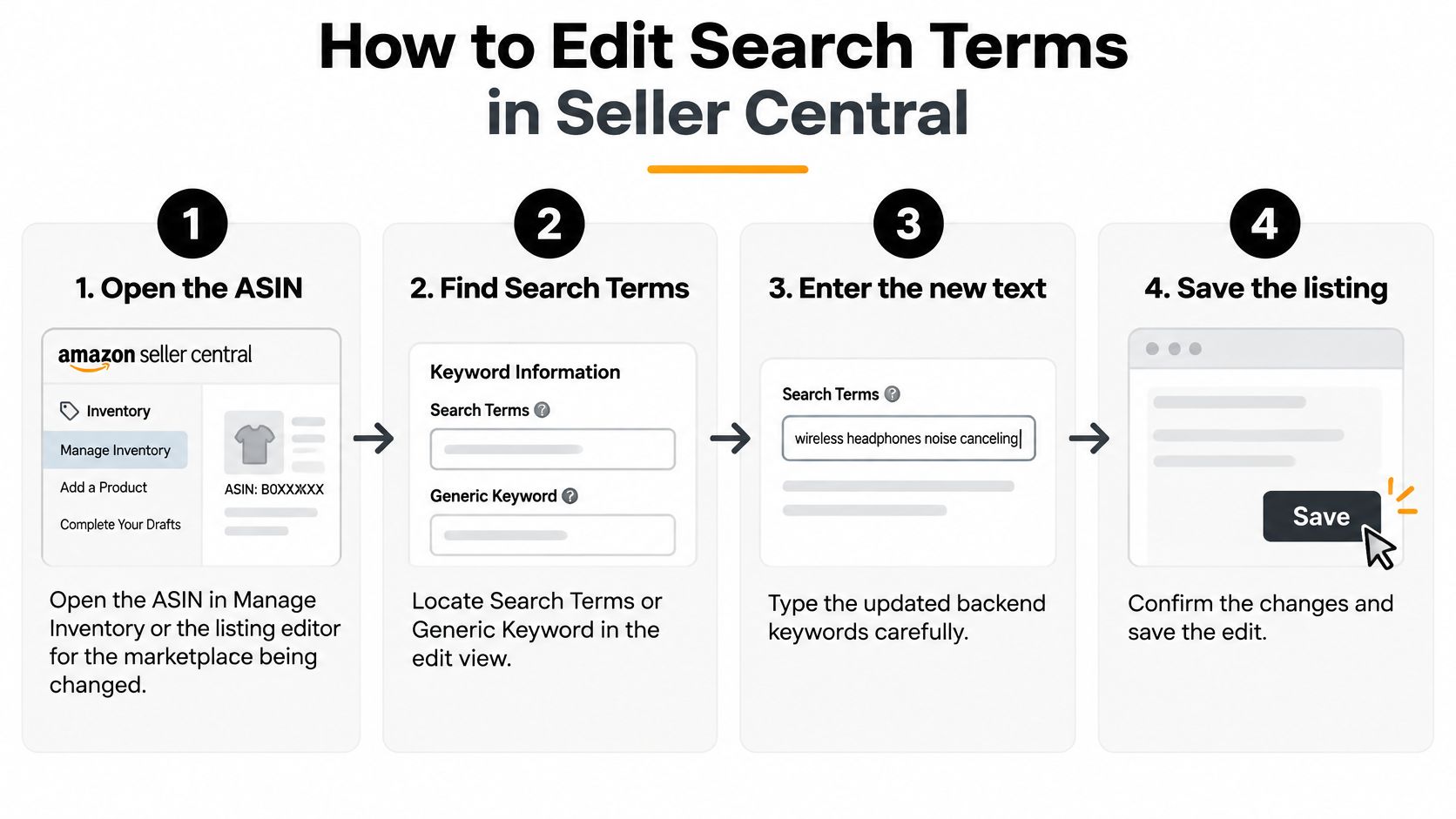
- Open the ASIN in Manage Inventory or the listing editor for the marketplace being changed. Don't assume the US editor is the DE record.
- Find Search Terms or Generic Keyword in the product details or keywords area for that product type. If the attribute isn't on the product type, stop. Forcing text into the wrong attribute won't create coverage.
- Paste a lowercase, space-separated string with punctuation removed. Watch the byte counter on that ASIN, not a character counter in a spreadsheet.
- Remove tokens already covered by the title, bullets, or a translation that adds no local vocabulary. A bulk helper can speed the cleanup. Sellers who simplify keyword updates with Keywordme still have to judge each marketplace's remaining bytes themselves.
- Save only after the counter is inside the limit and any product-type error is clear.
- Record the before string, the after string, the marketplace, and the time. Amazon's catalog and report pipelines are asynchronous. A successful click isn't the same as a completed catalog update you can already see in every report.
What an agent must not skip
Supported listing changes need a validation preview, explicit seller approval, duplicate protection, and an audit log with before and after values. The seller, or the seller's own agent, decides whether to submit. Agent Central doesn't choose the terms. A second click on the same payload should be blocked, not sent twice, and the audit should show who approved the write.
If the only goal is to mirror a US string into five Europe marketplaces, pause. Each editor has its own counter and its own product-type checks. Copy-paste across storefronts is how a clean US field becomes a truncated or rejected EU field.
How Can Sellers Check Search Term Changes
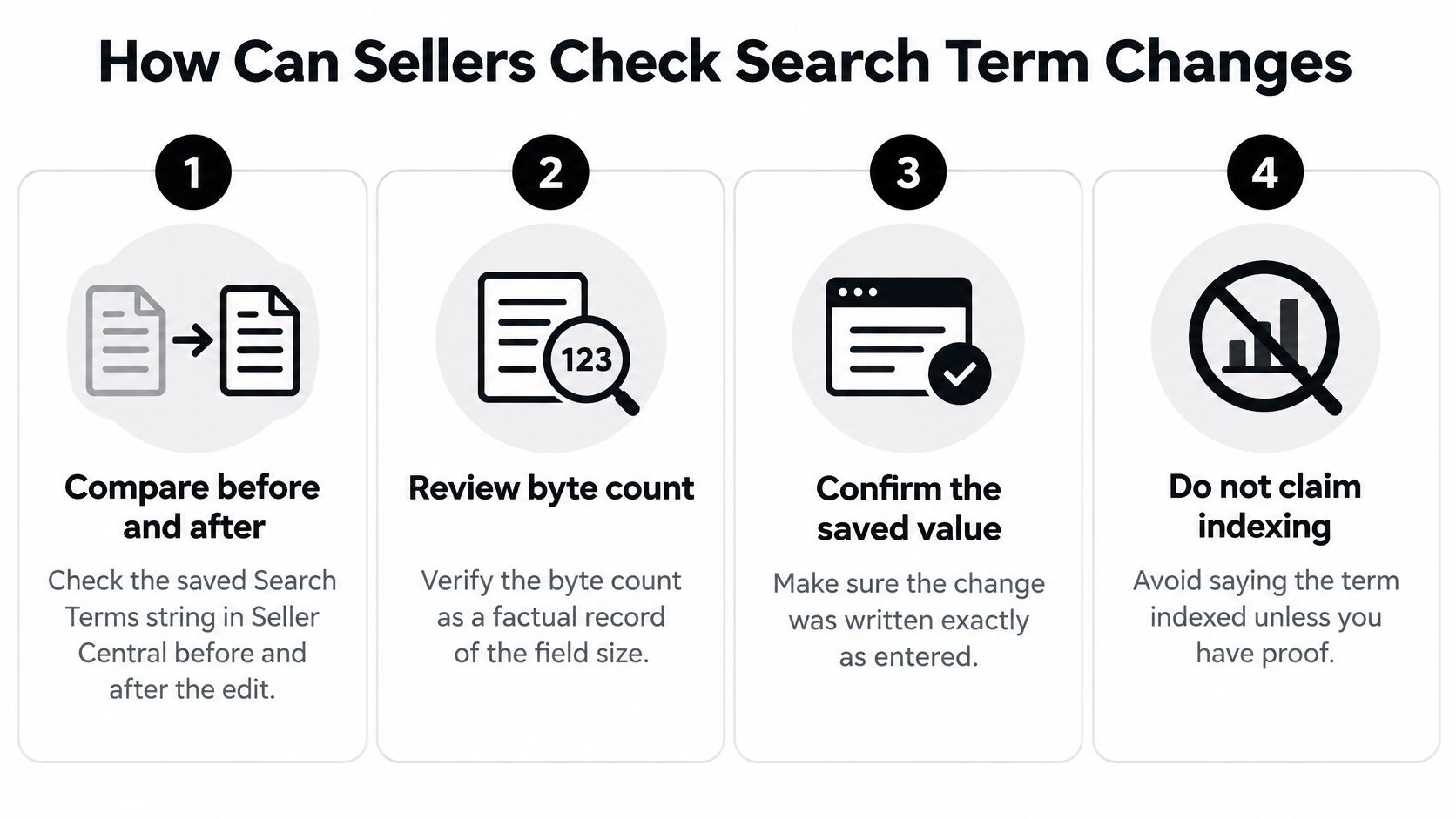
A saved string is a fact about your listing. A movement in clicks isn't proof the backend field caused it.
| Source | What it returns | Window | Limit |
|---|---|---|---|
| Seller Central listing before and after | Saved Search Terms string and byte count | Edit date | Shows your own record only, not indexing |
| Search Query Performance | Query text, impressions, and clicks for your ASIN | Full Amazon week | One-day request returns the whole containing week, and movement is not proof of cause |
| Agent Central weekly Listings Items snapshot diff | Backend search-term differences for the connected account | Weekly snapshot | No real-time edits, no video or A+ module diffs, no competitor terms |
Your own listing record
Open the ASIN again in that marketplace and read the saved Search Terms string and its byte count. Compare that text with the string you stored before the edit. This confirms what Seller Central kept on your record. It doesn't show whether Amazon matched any token to a query.
Full Search Query Performance weeks
Search Query Performance doesn't isolate a calendar day. A query for a single day returns the entire Amazon week that contains that day. For one ASIN in one marketplace, set the week of the edit against the following full week. Record query text, impressions, and clicks as facts only.
A rise or drop in impressions isn't evidence that the backend field indexed, and it isn't a sales forecast.
Listing work around those facts is a separate job from the report itself. Listing optimization still starts from visible copy and attributes. A rank tracker can show position movement for terms you choose to watch. Rank movement has many causes. Don't treat it as a receipt for a hidden keyword.
Weekly snapshots on your account
For operators and developers, Agent Central returns backend search-term differences from weekly Listings Items snapshots of the connected account. That diff isn't a real-time edit log. It doesn't cover video or A+ module changes. It can't read another seller's hidden terms. If a workflow asks for a competitor's Generic Keyword field, stop. That data isn't available, and it shouldn't be inferred from public titles.
Connect Agent Central for Snapshot Checks
Connect the account before any client reads snapshot diffs or prepares a write. Sign up at agentcentral.to, connect Seller Central and Amazon Ads through Amazon's authorization, then add the connection to the AI client. For Claude, use the Claude quickstart. Seller Central scope is on the Seller Central MCP connection page.
What the connection actually does
Customers connect through Amazon's official OAuth flow. Agent Central doesn't ask for, see, or store the customer's Amazon password. OAuth tokens are stored encrypted and used only to sync seller data and to perform Amazon API writes requested through the service. Account data syncs on a schedule, not in real time. A new account starts with 30 days of history that builds from there. Amazon Ads history is kept while the account stays connected.
Plans are priced by monthly Amazon order volume and include a 14-day free trial that needs no card. Current terms are on the pricing page.
Facts in, decision outside
Agent Central is a hosted MCP server for Claude, ChatGPT, OpenClaw, Cursor, and other MCP clients. One connection covers advertising, inventory, orders, catalog, ranking, finance, and fulfillment, joined across Amazon's separate reports and APIs. It returns listing facts, metrics, classifications, and source-provided fields.
Write operations go through Amazon's API with guardrails, a preview step, and an audit trail. Supported listing changes still need validation preview, explicit seller approval, duplicate protection, and before-and-after audit. The customer's agent or workflow decides what to do with those facts, including whether a search-term edit is submitted. Agent Central doesn't recommend the next string and doesn't optimize the account on its own.
Access can use Amazon's authorization plus a scoped API key, so a reporting job doesn't receive write scope it wasn't granted. Each seller account's data stays separate. Amazon API outages, rate limits, and data delays sit outside that connection. A snapshot that hasn't refreshed yet isn't a missing keyword. It's a schedule.
Pitfalls and Confirmation Before a Write
Stuffing popular but unrelated queries wastes the field. So does repeating title words. Both spend bytes without adding coverage. The keep-or-drop choices from word selection still apply at save time. A fully packed string isn't a better string.
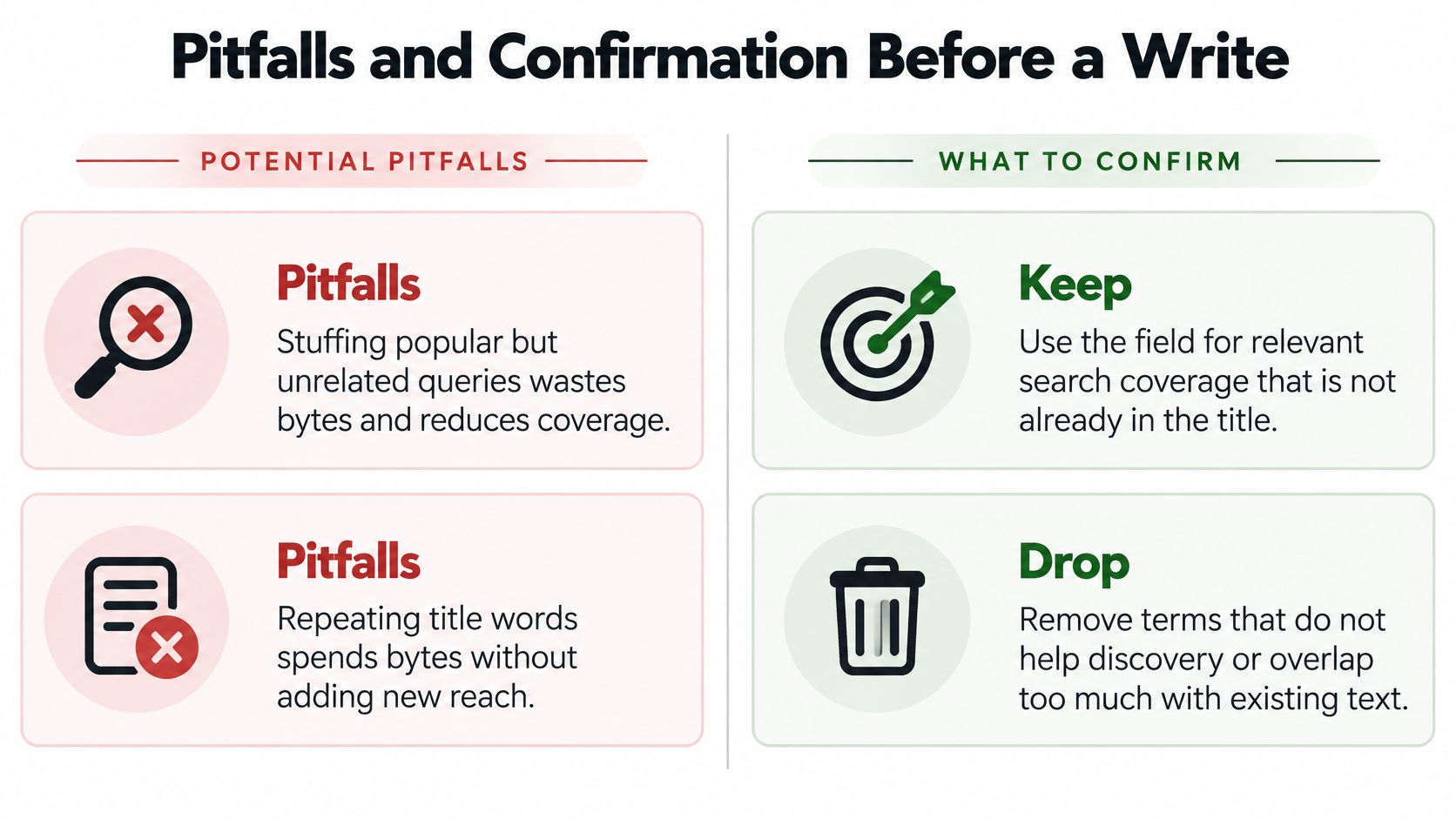
The other common miss is a single 250-character rule for every marketplace. Multibyte languages and product-type validation make that rule false. Use the byte counter on the ASIN you are editing.
What Amazon will strip or ignore as useful vocabulary
Amazon's generic keyword guidance says the field is for generic words that improve discoverability, such as synonyms, and that shoppers don't see it on the detail page. Amazon identifies brand names, ASINs, offensive language, and prohibited terms as content that may be eliminated. The same guidance says avoid repeated keywords, use spelling variations and abbreviations, choose singular or plural rather than both, and omit short function words such as "a," "and," "or," "the," and "with."
Another seller's hidden terms can't be read. Any workflow that asks an agent for them should stop.
Wrong SKU, unguarded write
In FBA and private-label catalogs, a parent and a child can carry different attributes. An edit on the wrong SKU, or the wrong marketplace, does nothing for the ASIN that sells. Confirm the current Search Terms string, its byte count, and the marketplace before any write.
The sharp agent failures are a write with no validation preview, no explicit seller approval, no duplicate protection, or no audit of before and after values. Treating a weekly snapshot diff or a Search Query Performance week as an instruction to add terms is the same class of mistake. Those outputs are facts. They aren't a recommendation.
Confirm the saved string and the marketplace, then let the seller's agent decide whether to submit.
Video and A+ modules sit outside this search-term diff. No indexing, rank, or sales outcome is promised from a backend edit.
Agent Central returns weekly backend search-term differences and a guarded path for listing writes, with preview, duplicate protection, and an audit log, so the workflow can see what changed before anyone submits. It doesn't pick the next Search Terms string. Connect the seller account you already operate and review the facts at agentcentral.
Related Agent Central pages
- Amazon Seller Central MCP server
Canonical hosted MCP overview for Seller Central, Ads, inventory, catalog, finance, and fulfillment data.
- Amazon seller data for AI agents
How Agent Central normalizes Amazon seller data before exposing it to AI clients.
- Connect Seller Central to Claude
Step-by-step path from Amazon OAuth to a Claude connector or MCP config.
- ChatGPT with Amazon seller data
ChatGPT-specific setup path for Amazon seller data through hosted MCP.
- Ranking tool reference
Keyword rank positions, changes, and search-volume joined views.
- Catalog tool reference
Product details, listing quality, A+ Content, reviews, and catalog write tools.
Related reading
- Inventory Management Automation for Amazon Sellers
Practical guide to inventory management automation for Amazon FBA and private-label sellers using AI agents, MCP, and pre-synced Seller Central data.
- FBA Storage, Aging and Inbound Placement Fees
Separate FBA storage, aged-inventory and inbound placement fees. Check U.S. rates, billing dates and source records before reconciling charges.
- FBA Removal Order Fees: 2026 U.S. Rates
Check 2026 U.S. FBA removal fees by size and weight, calculate unit costs, and reconcile Amazon removal reports with posted charges.
- Amazon Seller Accounting: Reconcile Settlements
Reconcile Amazon settlements, refunds, fees and Ads charges with external bank and inventory records, without mixing cash dates or attribution windows.
Connect Amazon seller data to your AI client.
Agent Central gives Claude, ChatGPT, OpenClaw, Cursor, and other MCP clients structured access to Amazon Ads, Seller Central, inventory, orders, catalog, finance, and fulfillment data.