
FBA Fee Calculator: How to Estimate Amazon Fees Accurately
Learn how to use an FBA fee calculator to estimate referral, fulfillment and storage fees, which inputs matter, and how to read the results.
A seller finds a product that looks profitable at $30, enters the price into an FBA fee calculator, gets a clean margin, then ships 900 units and watches storage and slow sell-through eat the forecast. That's the core risk. A useful calculator doesn't just estimate a per-unit fee. It models price, category, packaged size, average inventory held, inventory age, and the cash tied up while stock waits to sell.
Table of Contents
- Which Charges Make Up an FBA Fee Estimate?
- How Do You Run the FBA Fee Calculator Step by Step?
- How Much Referral Fee Will You Pay at Each Price?
- How Do Storage and Aged Inventory Change the Result?
- Why Does My Estimate Differ From Seller Central?
- What Should You Confirm Before Your First Inbound Shipment?
Which Charges Make Up an FBA Fee Estimate?
Read the estimate as a stack of separate charge lines, because each line is set by a different input. An FBA fee calculator adds the selling plan charge, the category referral fee, the per-unit fulfillment fee, monthly storage, and any aged-inventory or miscellaneous costs that apply. Drop one line and the result becomes a partial number that can look safer than the fee report will.
The selling plan is the fixed starting point. Amazon's pricing page lists the Professional plan at $39.99 per month and the Individual plan at $0.99 per item sold, with selling fees applying under either plan. The referral fee is a separate category-based percentage of the total sale price, and its arithmetic gets a full walkthrough in the referral section below.
Fulfillment depends on the packaged unit
Amazon's Fulfillment by Amazon page explains that fulfillment fees are charged per unit and depend primarily on size tier and shipping weight or dimensional weight. The charge covers picking, packing, shipping and handling, customer service, and returns. That means the calculator needs the boxed dimensions and packaged weight, not the bare product measurements from a supplier sheet. A light item in an oversized box can bill differently from the same item in tighter packaging, so sellers comparing carton options can use cube box shipping guidance for fulfillment teams as a reference when box choice pushes a unit toward a costlier tier.
The fulfillment line is only part of the exposure. Storage accrues on the daily average cubic volume you hold, and aged-inventory charges hit stock that sits too long, so two products with identical fulfillment fees can carry very different cash risk if one sells through in weeks and the other lingers for months.
| Fee component | What sets the charge | Input you must enter |
|---|---|---|
| Selling plan | Professional at $39.99 per month, or Individual at $0.99 per item sold | Plan type and expected units |
| Referral fee | Percentage of the total sale price, set by category | Category and selling price |
| FBA fulfillment fee | Per-unit charge set by size tier and shipping or dimensional weight | Packaged dimensions and weight |
| Monthly storage | Daily average cubic volume held in fulfillment centers | Packaged cubic feet and average units held |
| Aged-inventory surcharge | Stock held past Amazon's long-term age threshold, taken from a monthly snapshot | Inventory age and units on hand |
| Miscellaneous costs | Removal orders, return processing, and other charges the calculator does not add by default | Manual entry in the miscellaneous cost field |
Take a $30 item. The referral line alone is $30 multiplied by the category percentage, before fulfillment and storage enter the picture. The working formula is selling price minus referral fee, fulfillment fee, storage allocation, selling-plan allocation, product cost, and inbound logistics, which equals estimated contribution per unit. Sellers building that formula into a pricing model can use the break-even point calculation guide to separate the price that covers costs from the price that leaves margin.
How Do You Run the FBA Fee Calculator Step by Step?
Start by citing Amazon's current FBA fee schedule for each rate in the model. Don't take fee rates from third-party blogs, since an old table can misstate cost before any product inputs are entered. Amazon's guide to the FBA Revenue Calculator says the tool estimates referral fees, fulfillment costs, monthly storage costs, and variable closing fees, then shows estimated net profit and net margin. It also notes that aged-inventory charges, removal-order costs, and return-processing costs may need to go in the "Miscellaneous cost" field.
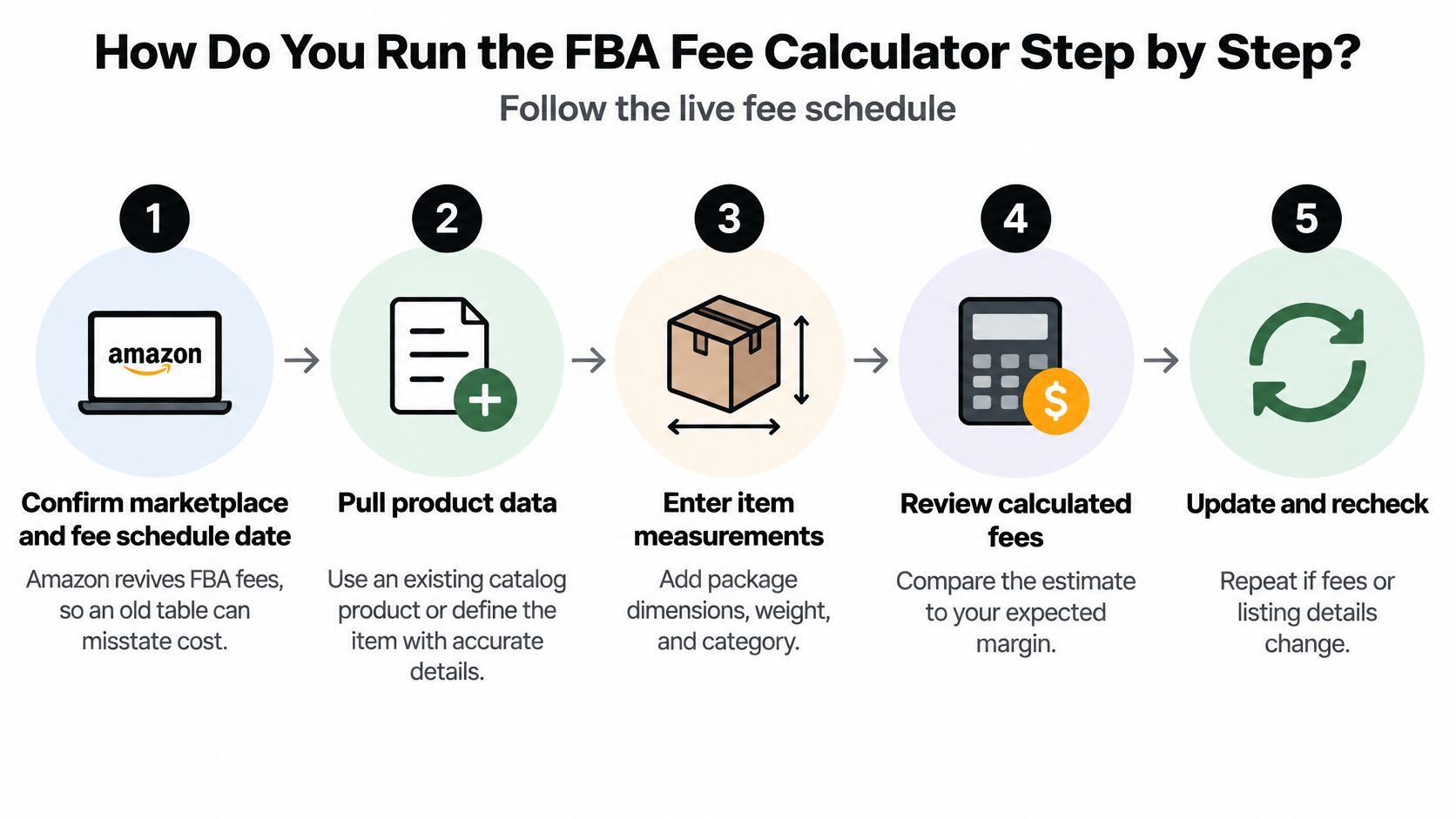
- Confirm the marketplace and fee schedule date. Amazon revises FBA fees, so record the marketplace and effective date beside every estimate. The common slip is reusing last quarter's spreadsheet without checking whether the fulfillment table changed.
- Pull an existing catalog product or define the item manually. An existing ASIN brings catalog data into the calculator. A manual entry needs category, dimensions, weight, price, and shipping charges entered carefully.
- Enter packaged dimensions and weight. Use the final retail box or prep packaging that Amazon will handle. Measuring the unpackaged product is the fastest way to land in the wrong size tier.
- Enter selling price and category. Note whether delivery charges are part of the total the buyer pays, because the referral line follows total sale price rules. A category mismatch can distort the estimate more than a small packaging change.
- Enter expected monthly units and average units held. Sales volume drives contribution, but average units held drives storage. Entering only forecast sales understates carrying cost when replenishment arrives in large batches.
- Add costs that aren't included by default. Removal orders, return processing, and long-term or aged-inventory charges belong in the miscellaneous cost field when they're realistic for the product. Leaving the field blank doesn't make those costs zero.
- Read net profit and net margin, then compare fulfillment methods. Compare Amazon fulfillment with seller fulfillment using identical price, category, and product-cost inputs. Changing two variables at once hides which assumption moved the result.
If total fees come out unexpectedly close to the selling price, check the category and size tier first. A wrong classification is the most common cause of an implausible result.
How Much Referral Fee Will You Pay at Each Price?
Category and price set the referral fee, not the fulfillment method. Switching between FBA and seller fulfillment doesn't change the category rule that drives this line. Amazon's category information page states that most categories generally fall within an 8% to 15% range, while category-specific rules can create exceptions.
The gap between those rates widens as price rises, which is why a wrong category can matter more than a small price adjustment.
| Selling price | Referral fee at 8% | Referral fee at 15% |
|---|---|---|
| $10 | $0.80 | $1.50 |
| $20 | $1.60 | $3.00 |
| $30 | $2.40 | $4.50 |
| $50 | $4.00 | $7.50 |
At $30, the 7-point gap between 8% and 15% is $2.10 per unit. On a product with thin contribution, that difference can erase the margin created by negotiating a slightly better unit cost. Sellers comparing channels before committing to Amazon fees may also find NanoPIM's guide to marketplace selection useful for framing how marketplace fee structures differ before a catalog is built around one channel.
A category exception worth checking
Amazon gives baby products priced at $10 or less as an example that may incur an 8% referral fee. The lesson isn't the baby category itself. It's that price thresholds and category rules interact, so the rate at one price point can't be assumed at another.
Use a short checklist before trusting the number:
- Confirm the category against the live listing: The browse category on the listing, not the supplier's product label, drives the rate.
- Test three price points: Run $15, $25, and $40, or the nearest realistic prices for the product.
- Record the rate at each price: Write down the percentage applied, not just the dollar output.
Enter the price the buyer pays, including shipping charges when they're part of the total. When the referral line is the largest fee in the estimate, the category decision matters more than fine-tuning packaging by a fraction of an inch.
How Do Storage and Aged Inventory Change the Result?
A per-unit fee doesn't tell the whole story, because storage isn't charged on units sold. It's charged on the inventory sitting in fulfillment centers while it waits to sell. That's the difference between per-unit fulfillment economics and inventory-carrying economics, and it's where many FBA fee calculator estimates break.
The correct sequence is to calculate per-order contribution first: selling price minus referral fee, fulfillment fee, return allowance, and variable product costs. Then model inventory separately using average units held multiplied by packaged cubic feet multiplied by the applicable monthly storage rate. Dividing a monthly storage estimate by forecast sales without checking sell-through mixes those two models together.

Say a forecast assumes 300 monthly sales but the replenishment plan puts 900 units on hand. Storage must be charged against the 900-unit average, not the 300 units sold that month. Amazon's FBA fee documentation states that inventory stored for 181 days or longer can incur an aged-inventory surcharge in addition to ordinary monthly storage, assessed using a snapshot taken on the 15th of each month. The same documentation framework uses versioned fee schedules, which is why marketplace and effective date belong in every stored estimate.
| Demand case | Monthly sales (units) | Average units on hand | Months of cover |
|---|---|---|---|
| Upside | 450 | 900 | 2 |
| Base | 300 | 900 | 3 |
| Downside | 150 | 900 | 6 |
Months of cover equals average units on hand divided by monthly sales. In the downside case, sales fall to 150 units and cover doubles from three months to six, even though the product, price, and fulfillment fee haven't changed. Sellers mapping the related inbound and inventory charges can compare that exposure with the FBA inventory and inbound services fees breakdown before setting reorder quantities.
Run sensitivity at 30, 90, and 180 days of sell-through. Include a return allowance at each point and show the cash tied up in stock, because a slow case doesn't just raise storage. It delays recovery of product cost and inbound freight while aged-inventory exposure grows.
Operator rule: Build the downside case before placing any reorder. A lower per-unit fulfillment fee matters less than inventory velocity when the forecast is wrong.
This is the contrarian point sellers miss. A product with attractive unit economics can still lose cash if demand is overestimated, because storage and aged inventory accumulate on every unsold unit. Improving sell-through often protects contribution better than shaving a small amount off fulfillment cost.
Why Does My Estimate Differ From Seller Central?
After the first shipments arrive, pull the Seller Central fee reports for the same ASINs and the same order period used in the model. Separate referral, fulfillment, and storage lines so each actual charge can be compared with its modeled figure. Comparing one blended total hides the input that's wrong.
| Difference | Likely cause | Input to check |
|---|---|---|
| Referral fee higher than modeled | Category or referral rate differs from the listing | Category and selling price, including delivery charges if included |
| Fulfillment fee differs | Packaging measured before the final box, or size tier misassigned | Packaged dimensions and weight |
| Storage charge higher than modeled | Average units on hand above forecast, or cubic volume undercounted | Average units held and packaged cubic feet |
| Unexpected monthly charge | Aged-inventory surcharge or removal cost not entered | Inventory age and miscellaneous cost field |
Set a tolerance before reviewing the results. For example, flag any line that differs by more than a few percent, then record the fee schedule effective date beside the variance. Amazon revises schedules, so a difference can come from a changed rate table rather than a bad product input.
Fix the model inputs, not the output. If packaged dimensions were measured before the final box, update the dimensions and rerun the estimate. If a removal or return-processing charge was never entered, add it to the correct field instead of padding the fulfillment line. Operators who reconcile fee reports across channels may use ecommerce bookkeeping and controller support as background on keeping marketplace charges separated in the books.
Keep a variance log with three fields: the difference, its cause, and the corrected input. That habit turns reconciliation into calibration, so the next product launch starts with measured packaging data, verified category rates, and storage assumptions based on actual average units held.
What Should You Confirm Before Your First Inbound Shipment?
Run the calculator checks on one product this week before shipping anything. Confirm the category and referral rate against the live listing, measure packaged dimensions and weight, model three demand cases, and set a reconciliation date for the first Seller Central fee report. Sellers preparing that first carton can align the shipment workflow with the shipment creation steps so the modeled units match the units sent.
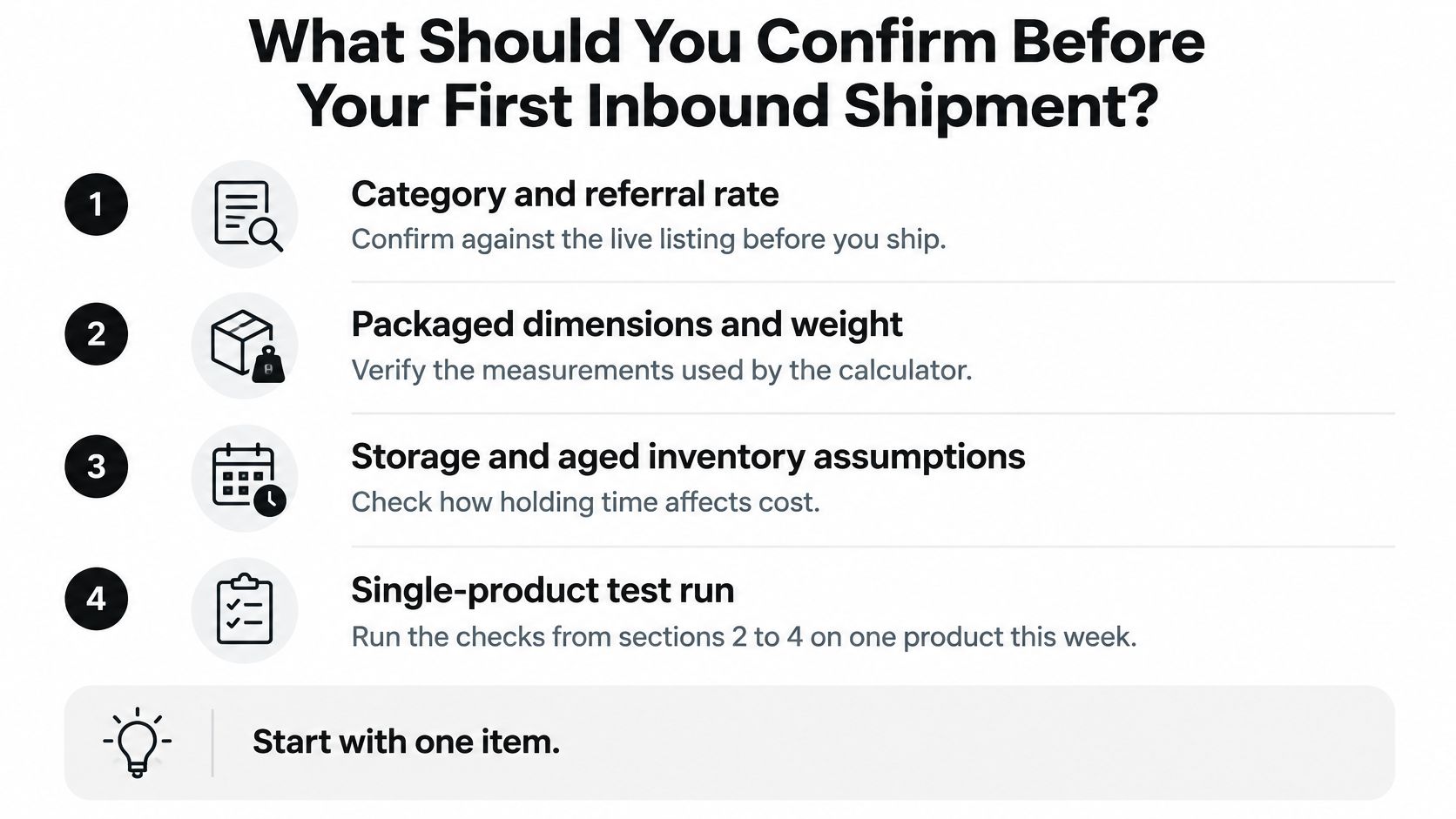
- Category and referral rate: Confirmed against the live listing, with the rate recorded at the planned price.
- Packaged dimensions and weight: Measured on the final packaged unit, not copied from an early supplier quote.
- Demand cases: Base, downside, and upside cases modeled with months of cover and aged-inventory exposure.
- Reconciliation date: Set in advance, with fee lines separated for comparison after the first report posts.
Connecting fee data to an agent workflow
Agent Central is a hosted MCP server that gives Claude, ChatGPT, OpenClaw, Cursor, and other MCP clients structured access to Seller Central and Amazon Ads data. Setup is direct: sign up with Agent Central, connect Seller Central and Amazon Ads through Amazon's authorization, then add the connection to the AI client. The Claude quickstart guide covers that connection path.
Account data syncs on a schedule, not in real time. A new account starts with 30 days of history that builds from there, and Amazon Ads history is kept while the account stays connected. Agent Central returns facts, metrics, and source-provided fields, plus guarded write tools with audit logs, so the user's agent or workflow decides what to do with them. It doesn't recommend next actions or autonomously optimize accounts.
Plans cost $39 to $159 per month based on monthly Amazon order volume, and pricing is based on orders rather than seats, with one subscription covering every supported marketplace. There's a 14-day free trial that needs no card, and the Agent Central pricing documentation sets out the tiers.
Agent Central connects the AI a seller already uses to Seller Central and Amazon Ads, returning structured finance, inventory, order, and fulfillment facts that can be checked against an FBA fee calculator model after the first fee report posts. It provides the data and guarded write tools with audit logs, while the seller's agent or team decides how to act on variances in referral, fulfillment, and storage lines. Visit agentcentral to connect an account and start reconciling calculator estimates against reported Amazon fees.
Related Agent Central pages
- Amazon Seller Central MCP server
Canonical hosted MCP overview for Seller Central, Ads, inventory, catalog, finance, and fulfillment data.
- Amazon seller data for AI agents
How Agent Central normalizes Amazon seller data before exposing it to AI clients.
- Finance tool reference
Payment transactions, fee breakdowns, profitability, and settlement economics.
- Fulfillment tool reference
MCF shipping previews, orders, order creation, tracking, and returns.
- Inventory tool reference
Inventory, orders, sales velocity, listing registry, days of cover, returns, and reimbursements.
- Amazon seller MCP servers compared
How hosted MCP services compare with official Ads MCP, local repos, connector tools, and automation platforms.
Related reading
- Ecommerce Automation Tools: 10 Options Compared for 2026
Compare 10 ecommerce automation tools by use case: inventory, orders, marketing, shipping, and AI workflows, with Amazon seller fit and pricing links.
- FBA Removal Orders: Options, Timing and Deadlines
FBA removal orders return, donate, dispose of, or liquidate FBA units. See the options, Amazon's processing times, and the deadlines that apply.
- How to Create a Shipment in Send to Amazon
Create a shipment in Send to Amazon by choosing placement, confirming charges, labeling boxes, and adding tracking.
- 5 Best Amazon PPC Agencies for Brands Already Using AI
Compare five Amazon PPC agencies by published services, pricing, reporting and scope when your brand already uses AI with its Amazon data.
Connect Amazon seller data to your AI client.
Agent Central gives Claude, ChatGPT, OpenClaw, Cursor, and other MCP clients structured access to Amazon Ads, Seller Central, inventory, orders, catalog, finance, and fulfillment data.